Technical SEO Checklist: 20 Checks to Help Google Crawl, Index and Rank Your Site
You can write the best content in your niche and build great backlinks, but if Google can’t crawl or index your pages properly, they won’t rank. That’s where technical SEO comes in.
This technical SEO checklist walks you through 20 practical checks, from crawling and indexing to speed, structure and security. You don’t need to be a developer to use it. Most checks take minutes with free tools.
What is technical SEO?
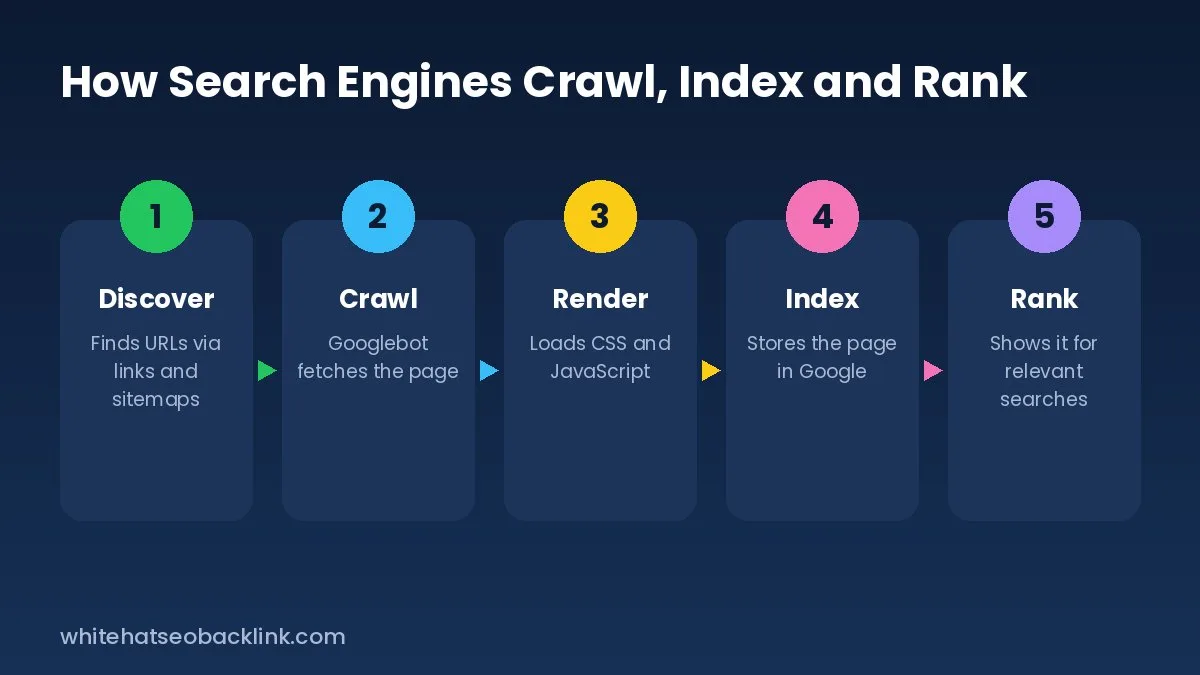
Technical SEO is the work you do on your website’s infrastructure so search engines can find, crawl, understand and index your pages without problems. It sits alongside the other two pillars:
- On-page SEO: your content, keywords, titles and headings.
- Off-page SEO: backlinks, mentions and authority. (See our off page SEO checklist.)
- Technical SEO: the foundation that lets everything else work.
Think of it this way: backlinks bring authority to your pages, but technical SEO makes sure that authority can actually flow through your site.
The technical SEO checklist (20 checks)
Crawling and indexing
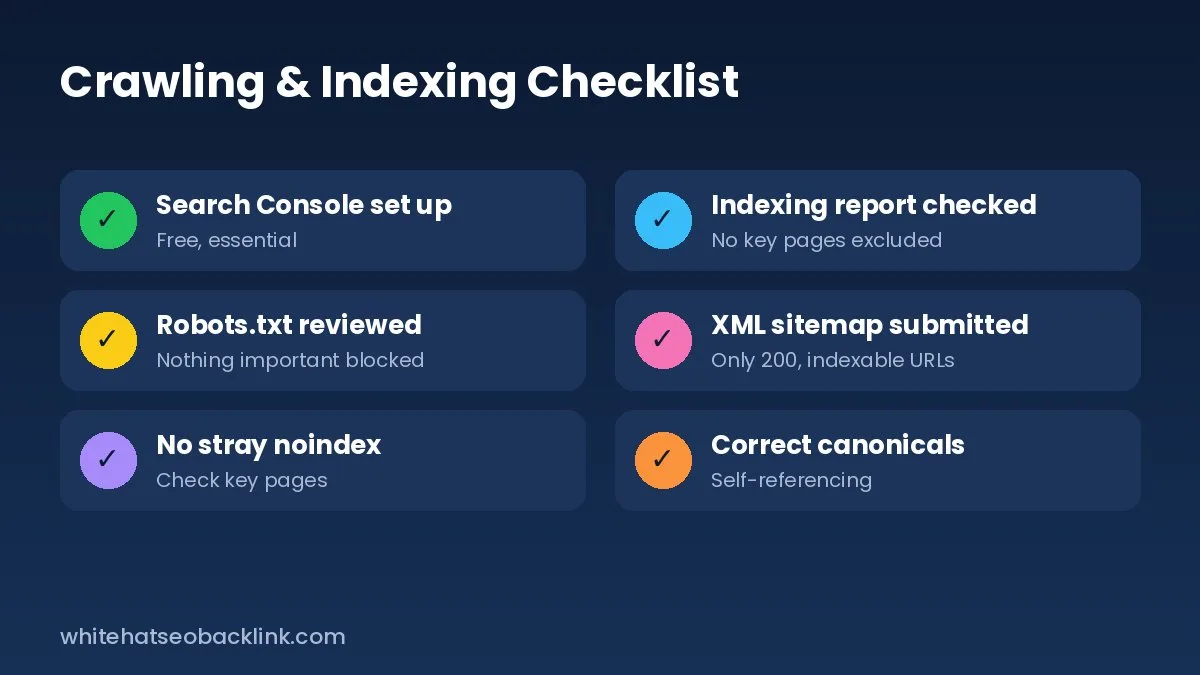
1. Set up Google Search Console. It’s free and shows exactly how Google sees your site: indexed pages, errors, Core Web Vitals and manual actions.
2. Check the Pages (indexing) report. Look for important pages marked “Crawled – currently not indexed”, “Discovered – currently not indexed” or “Excluded by noindex tag”. These are pages Google knows about but isn’t showing.
3. Review your robots.txt file.
Visit yoursite.com/robots.txt and make sure you aren’t blocking important folders, CSS or JavaScript. One wrong line can hide your whole site.
4. Submit an XML sitemap. Your sitemap should list only indexable pages that return a 200 status. Most SEO plugins, like Rank Math, create one automatically. Submit it in Search Console.
5. Remove accidental noindex tags.
Staging settings and plugin mistakes often leave noindex on live pages. Check your key pages with the URL Inspection tool.
6. Use canonical tags correctly. Each page should point its canonical to itself, unless it’s a true duplicate. Wrong canonicals tell Google to ignore the page.
Site structure and links
7. Keep important pages within three clicks. A flat structure helps crawlers and users reach your key pages quickly. We explain this in SEO friendly website design.
8. Find and fix orphan pages. Orphan pages have no internal links pointing to them, so Google rarely finds them. Link to them from related posts or category pages.
9. Fix broken internal links (404s). Broken links waste crawl budget and lose link equity. Crawl your site with a tool like Screaming Frog or Ahrefs Site Audit and fix every 404.
10. Clean up redirect chains. A → B → C redirects slow down crawling and leak authority. Point every redirect straight to the final URL. This matters even more for pages that have earned backlinks, as covered in how relevant backlinks improve your website’s authority.
11. Use clean, consistent URLs. Lowercase, hyphens, no unnecessary parameters, and one version of each page (with or without trailing slash, not both).
12. Add breadcrumbs. Breadcrumbs improve navigation, add internal links automatically and can show in search results.
Speed and Core Web Vitals
13. Pass Core Web Vitals. Aim for LCP under 2.5 seconds, INP under 200 ms and CLS under 0.1 on mobile.
14. Compress and resize images. Use WebP, set width and height attributes, and lazy-load images below the fold. Oversized images are the most common cause of slow pages.
15. Use caching and a CDN. Page caching (for example LiteSpeed Cache on WordPress) and a CDN cut load times for visitors around the world.
16. Reduce unused CSS and JavaScript. Remove plugins you don’t use and delay non-critical scripts like chat widgets and trackers.

Mobile, security and rich results
17. Test mobile usability. Google indexes your mobile version. Check text size, tap targets and that no content is hidden on mobile.
18. Use HTTPS everywhere. Every page, image and script should load over HTTPS, with HTTP versions redirecting to HTTPS.
19. Add structured data. Article, FAQ, Breadcrumb, Product and LocalBusiness schema help Google understand your pages and can earn rich results. Test with Google’s Rich Results Test.
20. Handle duplicate and thin content. Merge or redirect thin pages, noindex low-value archives like tag pages, and make sure each page targets a unique search intent.
How often should you run a technical SEO audit?
Technical issues creep in over time: new plugins, theme updates, deleted pages. A simple routine keeps your site healthy:
- Weekly: check Search Console for new errors.
- Monthly: run a site crawl and fix broken links, redirects and missing tags.
- Quarterly: review Core Web Vitals, sitemap, robots.txt and structured data.
- Before and after any redesign: full audit plus redirect mapping.

Free and paid tools for technical SEO
- Google Search Console: indexing, Core Web Vitals and errors (free).
- PageSpeed Insights: speed and Core Web Vitals per page (free).
- Screaming Frog: site crawler, free up to 500 URLs.
- Ahrefs Site Audit: automated crawls with prioritised issues.
- Rank Math or Yoast: sitemaps, canonicals, schema and meta tags in WordPress.
Technical SEO mistakes to avoid
- Launching a new site with “Discourage search engines” still ticked in WordPress.
- Deleting pages that have backlinks without redirecting them.
- Installing too many plugins that slow the site down.
- Ignoring mobile performance because the site looks fine on desktop.
- Fixing technical issues once and never checking again.
FAQs
What is technical SEO in simple words?
It’s making sure search engines can find, crawl, understand and index your website without problems.
Is technical SEO more important than backlinks?
They do different jobs. Technical SEO makes sure your pages can rank; backlinks give them the authority to outrank competitors. You need both. Learn how to get backlinks once your foundation is solid.
Can I do technical SEO without coding?
Yes. Most checks on this list can be done with Search Console, an SEO plugin and a crawler, without touching code.
How long does it take to see results from technical fixes?
Indexing fixes can show results within days to a few weeks after Google recrawls the pages. Speed improvements usually take a few weeks to reflect in Core Web Vitals data.
Strong foundation? Now build authority
Once your site is technically healthy, backlinks are what push your pages to the top. Get a free link analysis to see where you stand, or explore our white-hat link building packages.