Orphan Pages: What They Are, Why They Hurt SEO and How to Fix Them
Imagine writing a great page and then hiding it in a room with no doors. Visitors cannot find it. Google struggles to find it. And even if Google does find it, it assumes the page is not important.
That is what orphan pages are. They are pages on your website that no other page links to. This guide explains why orphan pages hurt SEO, how to find them with free and paid tools, and exactly what to do with each one: link it, merge it, redirect it or remove it.
What Are Orphan Pages?
An orphan page is a live page on your site with zero internal links pointing to it. The only ways to reach it are:
- Typing the exact URL
- Clicking a link from your XML sitemap
- Clicking a link from another website or an old email
Because no menu, category, post or footer links to it, a normal visitor browsing your site will never find it.

Why Orphan Pages Are Bad for SEO
1. Google may not find or index them
Google discovers most pages by following links. Google’s own link best practices explain that links help Google find pages and understand their relevance. Without internal links, discovery depends on your sitemap or backlinks, and the page often gets low priority. Orphan pages commonly end up in reports like discovered – currently not indexed or crawled – currently not indexed.
2. They get no internal link authority
Internal links pass authority from strong pages to weaker ones. An orphan page gets none, so it has a harder time ranking even if the content is good.
3. Visitors never see them
Even if the page ranks, users who land elsewhere on your site cannot reach it. That is lost sales, leads and engagement.
4. They can be a sign of bigger problems
Lots of orphan pages often point to a messy site structure, a bad migration, broken menus or old content nobody is managing.
How Orphan Pages Happen
Orphan pages are rarely created on purpose. Common causes include:
- A page was removed from the menu but not deleted
- A category or tag was deleted, leaving its posts unlinked
- A site redesign or migration changed the navigation
- Landing pages built for ads or email campaigns
- Old product pages that are out of stock or discontinued
- Pages created by plugins, page builders or test environments
- Blog posts pushed so deep in pagination that they are barely reachable
How to Find Orphan Pages
The idea is simple: compare a list of all your pages with a list of pages that have internal links. Any page on the first list that is missing from the second is an orphan.
Method 1: Crawl tool plus sitemap and analytics
- Crawl your website with a site crawler like Screaming Frog, Sitebulb or Ahrefs Site Audit. This finds every page reachable by links.
- Connect or upload your XML sitemap, Google Analytics and Google Search Console data.
- The tool will show URLs that appear in your sitemap, analytics or Search Console but were not found in the crawl. Those are orphan candidates.
Method 2: Free spreadsheet method
- Export all URLs from your XML sitemap.
- Export all pages with traffic from Google Analytics and all pages with impressions from Search Console.
- Crawl your site with a free crawler (many have a free limit of a few hundred URLs).
- Put the lists in a spreadsheet and use a lookup to find URLs that are not in the crawl list.
Method 3: WordPress plugins
Some SEO and internal linking plugins show posts with no incoming internal links. This is a quick check for blogs, but it may not catch pages created outside WordPress posts.

What to Do With Each Orphan Page
Not every orphan page should be saved. Use this simple decision table:
| Situation | Best action |
|---|---|
| Valuable page that should rank | Add internal links from relevant pages |
| Similar to another stronger page | Merge content and 301 redirect |
| Outdated but has backlinks | Update it, or 301 redirect to the closest relevant page |
| Ad or email landing page you do not want in search | Keep it, but add noindex |
| No value, no traffic, no links | Delete it and let it return 404 or 410 |
How to Add Internal Links the Right Way
When you rescue an orphan page, link to it in a way that makes sense for users:
- From related content. Add contextual links in the body of related blog posts and service pages.
- From hub pages. Link from category pages, resource pages or pillar guides.
- From navigation, if important. Key service or product pages may belong in the menu or footer.
- With descriptive anchor text. Use words that describe the page, not “click here”.
- More than one link. Aim for at least two or three internal links to each important page.
Want to understand anchors better? Our anchor text diversity guide explains how to keep anchors natural.

Orphan Pages vs Dead-End Pages
These two are often confused:
- Orphan page: no links pointing in.
- Dead-end page: no links pointing out.
Both are bad for user experience and crawling. A healthy page has links coming in and going out.
How to Prevent New Orphan Pages
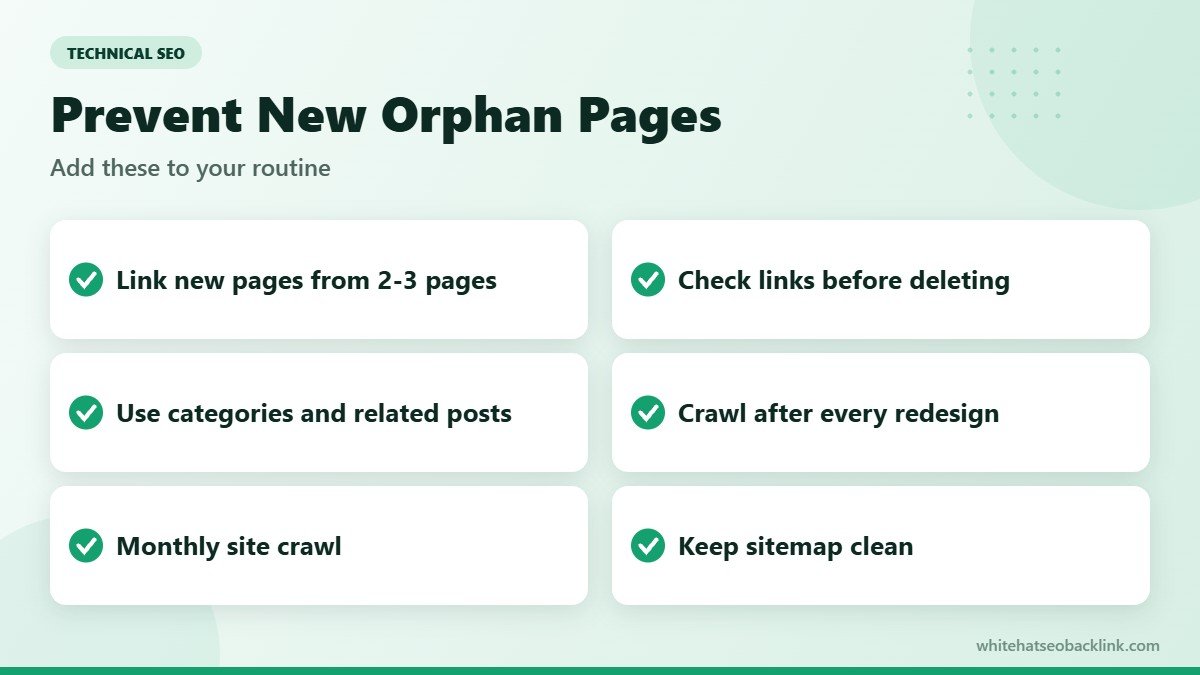
- Add “link from 2 to 3 existing pages” to your publishing checklist
- Use categories and related post sections on your blog
- Run a crawl every month or after any redesign or migration
- Check internal links before deleting a menu item, category or page
- Keep your XML sitemap clean, so it only lists pages you want indexed
For a full set of regular checks, use our technical SEO checklist.
FAQ
Are orphan pages always bad?
Not always. Paid ad landing pages, thank-you pages and private pages can be orphans on purpose. Just add noindex if you do not want them in search.
Can Google index orphan pages?
Yes, if they are in your sitemap or have external links. But they usually get crawled less often and rank lower than well-linked pages.
How many internal links does a page need?
There is no magic number. Important pages should get links from several relevant pages, and the most important pages should be reachable within a few clicks of the homepage.
Does the XML sitemap fix orphan pages?
No. A sitemap helps Google discover URLs, but it does not pass link authority or help users find the page. You still need internal links.
Final Thoughts
Orphan pages are an easy technical SEO win. Find them by comparing your crawl with your sitemap and analytics, then link, merge, redirect, noindex or delete each one. Make internal linking part of every new page you publish and the problem will not come back.
Need help cleaning up your site structure? Get in touch with our SEO team or start with a free link analysis.