Soft 404 Errors: What They Mean and How to Fix Them in Google Search Console
You open Google Search Console, click into the Pages report, and there it is: “Soft 404.” The page clearly loads. You can see it in your browser. So why is Google treating it like it does not exist?
Soft 404 errors confuse a lot of site owners because nothing looks broken. But they matter. Pages flagged this way are usually left out of Google’s index, which means they cannot rank or bring you traffic. This guide explains what soft 404 errors are, why they happen, and exactly how to fix them.
What Is a Soft 404 Error?
When a browser or Googlebot asks your server for a page, the server replies with a status code. A normal working page returns 200 OK. A page that does not exist should return 404 Not Found or 410 Gone.
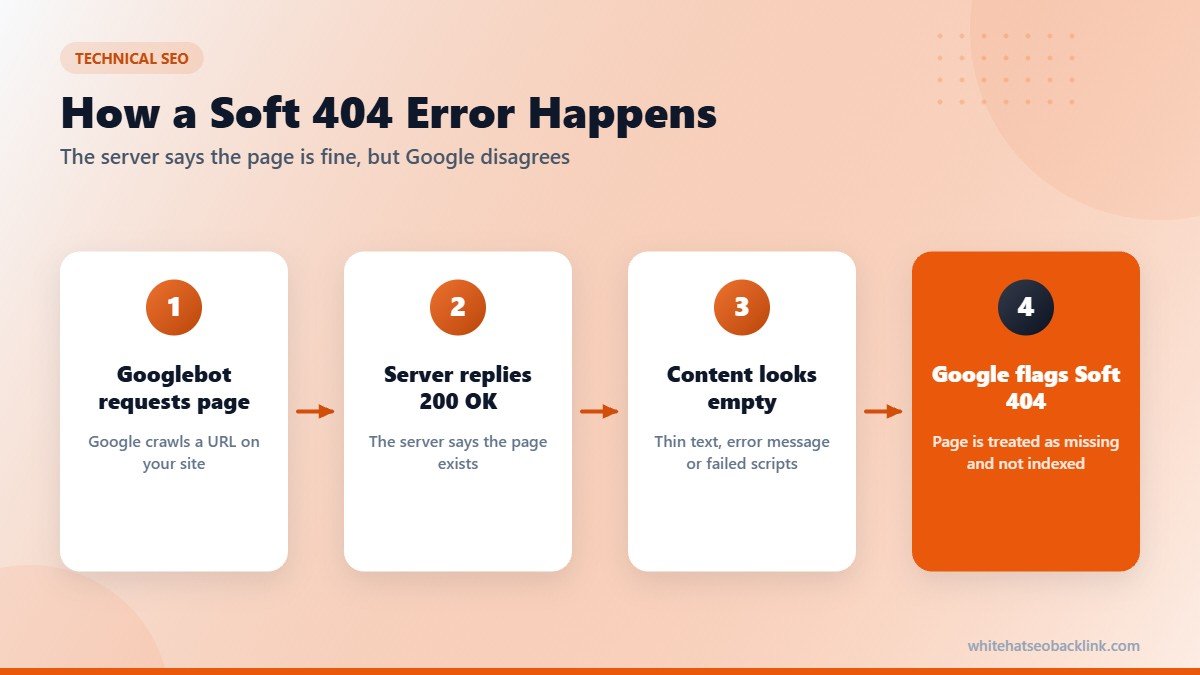
A soft 404 happens when there is a mismatch. The server says “200 OK, everything is fine,” but the page content looks empty, thin or like an error message to Google. So Google decides for itself that the page is not really useful and treats it like a 404, even though your server never said so.
In short: a real 404 is your server telling Google a page is gone. A soft 404 is Google deciding a page might as well be gone.
Soft 404 vs 404: What Is the Difference?
| Hard 404 | Soft 404 | |
|---|---|---|
| Status code | 404 or 410 | 200 (or a redirect to an irrelevant page) |
| Who decides | Your server | |
| Is it a problem? | Not if the page really should be gone | Usually yes, it signals a mismatch |
| Indexed? | No | Usually not |
A normal 404 is not bad. Every site has some, and Google expects it. A soft 404 is different because it means either a useful page looks weak to Google, or a missing page is not returning the right code. Both deserve attention.
Why Soft 404 Errors Matter for SEO
- Pages drop out of the index. If a page you care about is marked as a soft 404, it will not show in search results.
- Crawl time is wasted. Google keeps crawling pages that return 200 but have no value, instead of focusing on your important content.
- It can point to bigger issues. Many soft 404s at once often means a template problem, a broken plugin or a JavaScript rendering issue.
How to Find Soft 404 Errors
Google Search Console
This is the main place to look. Go to Indexing → Pages, scroll to “Why pages aren’t indexed,” and click Soft 404. You will see example URLs Google has flagged. Use the URL Inspection tool on any of them and click “View crawled page” to see what Googlebot actually received. Sometimes it is very different from what you see in your browser.

Site crawlers
Tools like Screaming Frog, Ahrefs Site Audit or Sitebulb can help you find likely soft 404s before Google does. Look for pages with a 200 status but very low word counts, or pages whose titles contain phrases like “not found,” “no results” or “page unavailable.”
Common Causes of Soft 404 Errors
Once you know which pages are affected, the next step is to work out why. These are the usual suspects:
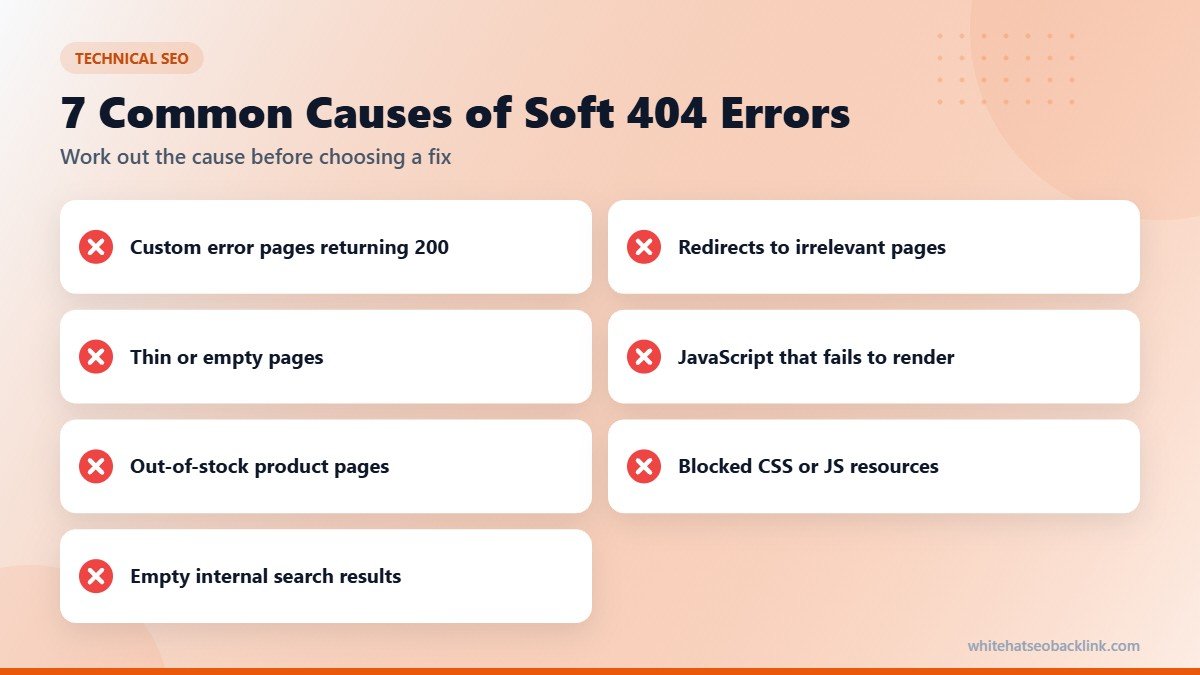
- Custom error pages that return 200. Your “Sorry, page not found” page looks right but the server sends a 200 code.
- Thin or empty pages. Tag pages with one post, empty category pages, or placeholder pages with almost no text.
- Out-of-stock or discontinued products. A product page that just says “This item is unavailable” with nothing else.
- Empty search results pages. Internal search URLs showing “0 results found” that have been crawled.
- Redirects to irrelevant pages. Redirecting many deleted pages to the homepage. Google often treats these as soft 404s because the new page does not match what the old one was about.
- JavaScript that fails to load. If your content loads with JavaScript and Googlebot cannot render it, the page may look blank.
- Blocked resources. If robots.txt blocks CSS or JS files, Google may not see the full page.
How to Fix Soft 404 Errors: 7 Solutions
The right fix depends on one simple question: should this page exist?
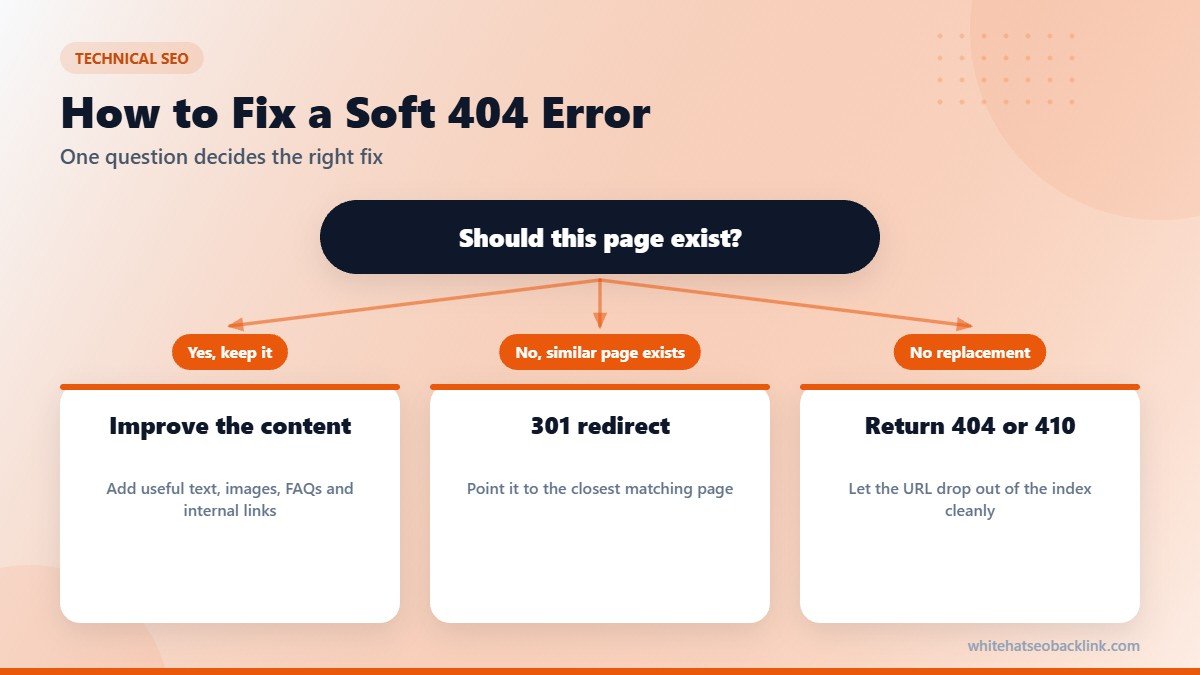
1. If the page should not exist, return a real 404 or 410
For pages that are truly gone with no replacement, make sure the server sends a 404 or 410 status. In WordPress, this usually happens automatically for deleted content. If you built a custom error template, check that it is not overriding the status with 200. You can test any URL with a free HTTP status checker or the Network tab in your browser’s developer tools.
2. If there is a close replacement, use a 301 redirect
If a page moved or a similar page exists, redirect the old URL to the most relevant new one. A deleted “red running shoes” product should go to the running shoes category, not the homepage. Keep redirects direct and avoid chains of several hops.
3. If the page should exist, make it useful
Many soft 404s are real pages that simply look too thin. Add helpful content: a proper description, images, answers to common questions, internal links to related pages. A service page with two sentences is weak. A page that explains the service, who it is for, the process and pricing is much stronger.
4. Handle out-of-stock products the smart way
For items that are temporarily out of stock, keep the page live with full product information, a clear “back soon” message, an email alert option and links to similar products. For items gone forever, redirect to a close alternative or the parent category. Our guide on ecommerce technical SEO covers this in more depth.
5. Stop search and filter pages being crawled
Empty internal search results should not be in Google’s index. Add a noindex tag to search result pages, and consider blocking crawl of internal search URLs in robots.txt once they have dropped out of the index. Most SEO plugins, including Rank Math, have settings for this.
6. Fix JavaScript rendering problems
Use URL Inspection and look at the rendered screenshot and HTML. If key content is missing, it may load too slowly or rely on scripts Google cannot run. Server-side rendering, pre-rendering, or simply putting the main content in the initial HTML usually solves it. Also check that robots.txt is not blocking your CSS and JavaScript files.
7. Clean up thin archive pages
Tag pages, author archives and empty categories are frequent soft 404 sources in WordPress. Either add enough content to make them worthwhile, merge them, or noindex the ones that add no value.
How to Validate the Fix
After making changes, go back to the Soft 404 section in Search Console and click Validate Fix. Google will recrawl the affected URLs over the following days or weeks. For single important pages, you can use URL Inspection and click Request Indexing to speed things up.
Validation can take a while, so do not panic if the count does not drop immediately. Check back every week or two.
Can You Ignore Some Soft 404s?
Yes. If Google flags pages you do not care about, such as old search URLs, empty tag pages or deleted products with no replacement, the outcome is the same as a 404: they stay out of the index. That is fine. Focus your energy on soft 404s affecting pages you actually want to rank.
A good rule: if the URL is in your sitemap or linked from your menu, fix it. If it is not, it can usually wait.
How to Prevent Soft 404 Errors
- Test your custom 404 page to make sure it returns a 404 status.
- Never mass-redirect deleted pages to the homepage.
- Set a minimum content standard before publishing new pages.
- Noindex internal search results and thin archives from the start.
- Keep your XML sitemap clean, listing only pages that should be indexed.
- Run a monthly crawl to catch thin or empty pages early.
Related Indexing Issues
Soft 404s often show up alongside other Search Console statuses. If you also see pages stuck in “Discovered – currently not indexed,” our guide on fixing discovered currently not indexed explains what to do. And if you see “Alternate page with proper canonical tag,” read this canonical tag guide to know whether it needs fixing at all.
Soft 404 Errors: Quick FAQ
Do soft 404 errors hurt my whole site’s rankings?
Not directly. Google does not penalise a site for having soft 404s. The real cost is that the affected pages are not indexed, and large numbers of them can waste crawl attention that should go to your important pages.
Why does Google show a soft 404 for a page that has content?
Usually because Googlebot saw something different from what you see. The content may load through JavaScript that failed, or the page may contain phrases like “not available” that make it look like an error page. Check the rendered HTML in URL Inspection.
Is redirecting to the homepage a good fix?
Rarely. Google often treats irrelevant homepage redirects as soft 404s anyway. Redirect to the closest matching page, or let the URL return a 404 if nothing similar exists.
Final Thoughts
Soft 404 errors look scary in Search Console, but the fix comes down to one decision for each page. If it should be gone, return a proper 404 or redirect it to a close match. If it should stay, make it genuinely useful so Google has a reason to index it. Work through your important URLs first, validate the fix, and add a quick status check to your regular technical SEO checklist so the problem does not creep back.