How to Show Up in AI Overviews: 10 Practical Steps for 2026
Search for almost any how or why question on Google today and you will see an AI-written answer at the top of the page. Under it sits a short list of cited websites. Those citations are the new front row of search, and every site owner wants to know how to show up in AI Overviews.
The good news: you do not need a secret trick. Google has said its AI features use the same core ranking systems as normal search. The sites that get cited are the ones that are easy to understand, easy to quote and clearly trustworthy.
This guide covers 10 practical steps, plus the parts most guides leave out: which queries trigger AI Overviews, the snippet settings that can block you, how to track your citations and how to appear in ChatGPT and Perplexity too.
What Are AI Overviews?
AI Overviews are short, AI-generated summaries that Google shows above the normal results for some searches. Each summary links to a few pages that support its answer. Being one of those links can bring clicks, brand exposure and trust, even when fewer people scroll down to the blue links.
Which Searches Trigger AI Overviews?
Not every keyword shows an AI answer. Before you try to show up in AI Overviews, check whether your target query actually triggers one. Here is a rough guide:
| Query type | Example | AI Overview likely? |
|---|---|---|
| How-to and process | how to fix a soft 404 | Very likely |
| Why and what is | why is my page not indexed | Very likely |
| Comparisons | niche edits vs guest posts | Likely |
| Long, detailed questions | best way to get links for a new law firm | Likely |
| Local “near me” | SEO agency near me | Sometimes |
| Brand or login | ahrefs login | Rarely |
| Buying a product now | buy running shoes size 10 | Less often |
Search your top 20 keywords in a private window and note which ones show an AI answer. Those are your opportunities.
How Google Picks Sources for AI Overviews
Google’s AI does not read the whole web for each answer. It pulls from pages its search systems already rank well, then breaks the question into smaller related questions (Google calls this “query fan-out”). Pages that answer the main question and its follow-ups clearly are more likely to be quoted.
That leads to a simple truth: to show up in AI Overviews, you first need to be a strong organic result. Most citations come from pages already ranking on page one or close to it.
How to Show Up in AI Overviews: 10 Steps
1. Get onto page one for the query
Start with normal SEO. Match search intent, cover the topic fully and earn a few relevant links. If your page sits on page four, no formatting trick will help it show up in AI Overviews. Our technical SEO checklist and guide on how to get backlinks are good starting points.
2. Put a direct answer first
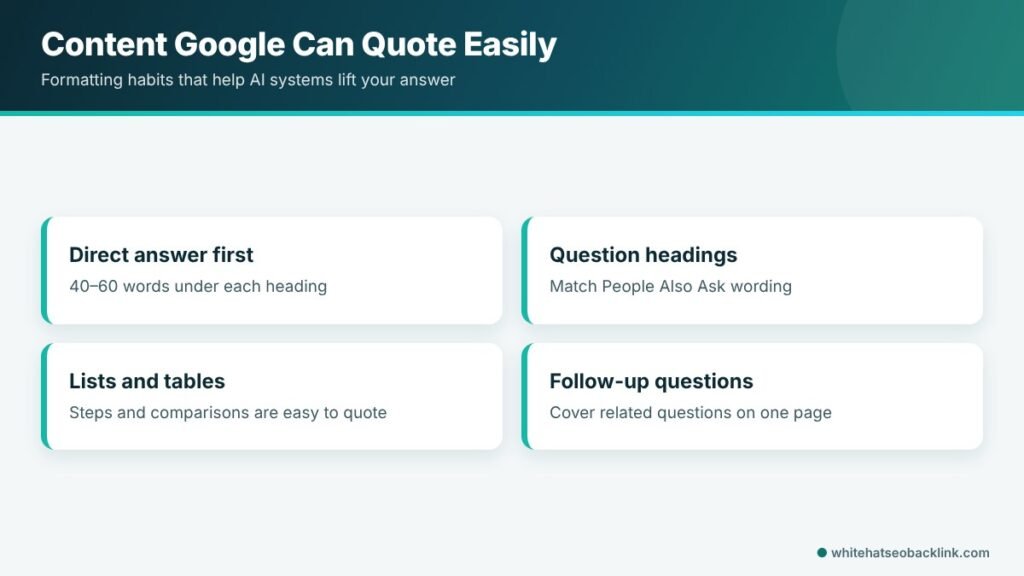
Under each main heading, write a 40 to 60 word answer before you add detail. AI systems like content they can lift cleanly. For example:
What is a soft 404? A soft 404 is a page that tells users it does not exist but returns a “200 OK” code to search engines. Google treats it like a missing page and usually drops it from the index.
Then expand with causes, examples and fixes.
3. Use headings that match real questions
Look at “People also ask” and the autocomplete suggestions for your keyword. Turn the best ones into H2 and H3 headings. When your heading matches the question, it is easier for Google to match your answer to a searcher. This small change is one of the easiest ways to show up in AI Overviews.
4. Cover the follow-up questions
Because of query fan-out, the AI often answers several related questions at once. If someone searches “how to start guest posting”, the summary may also cover cost, risks and how many posts to publish. Pages that cover these follow-ups in one place have more chances to show up in AI Overviews.
5. Format for skimming
Use short paragraphs, numbered steps, bullet lists and simple tables. A table comparing three options is far easier to quote than three long paragraphs saying the same thing. Skimmable pages give you a better chance to show up in AI Overviews.
6. Add structured data
Schema markup will not make you show up in AI Overviews on its own, but it helps Google understand what your page is and who wrote it. At a minimum, add:
- Article or BlogPosting schema with author and dates
- Organization schema on your homepage with logo and social profiles
- Person schema for your authors
- LocalBusiness schema if you serve a local area
Make sure what the schema says matches what visitors can see on the page.
7. Show real experience and trust
AI answers lean on sources that look reliable. Add a clear author bio, real examples, your own screenshots or data, and links to trusted sources. A sentence such as “we tested this on 14 client sites” carries more weight than generic advice. Trust is a big reason some pages show up in AI Overviews and others do not.
8. Check that nothing blocks you
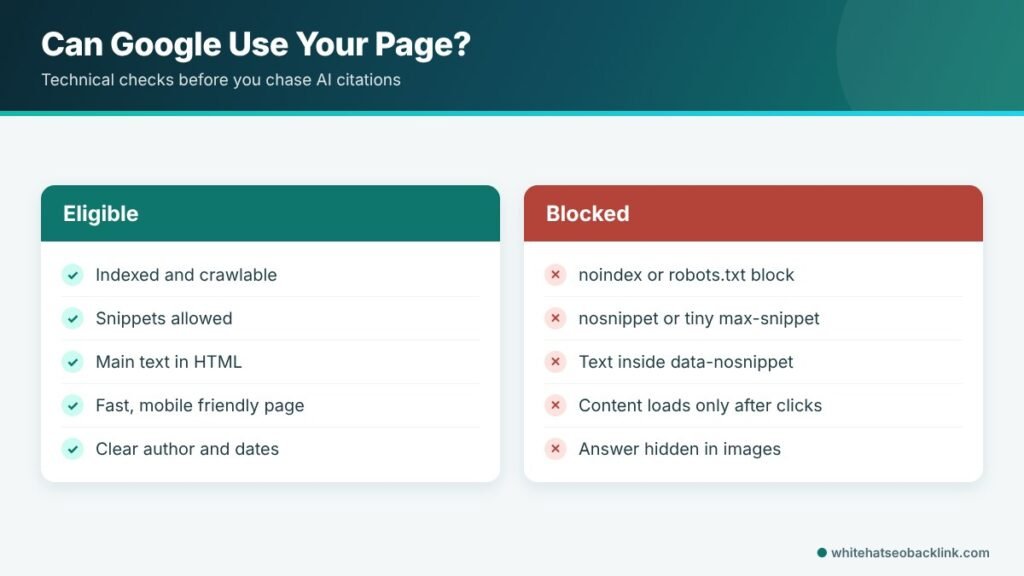
This is the step almost every guide forgets. Google only uses content it can crawl, index and show as a snippet. You cannot show up in AI Overviews if:
- The page has a noindex tag or is blocked in robots.txt
- The page uses nosnippet, or a very small max-snippet value
- Key text sits inside a data-nosnippet section
- The main content only loads after a click or heavy JavaScript
Run the URL through the URL Inspection tool in Search Console. If it is not indexed, fix that first with our guides on crawled, currently not indexed and discovered, currently not indexed.
9. Get your brand mentioned elsewhere
AI systems trust brands that other sites talk about. Guest articles, expert quotes, podcast appearances and reviews all build that picture. Even unlinked mentions help Google connect your name with your topic. The more trusted sites mention you, the easier it becomes to show up in AI Overviews for your subject.
10. Refresh your content every few months
Pages that show up in AI Overviews today can lose their spot if they go stale. AI answers favour current information. Review your key pages every three to six months. Update numbers, screenshots and steps, and change the “last updated” date only when you make real changes.
Tips for Local Businesses
Local searches are starting to show AI answers too. To show up in AI Overviews for local queries, keep your Google Business Profile complete, collect fresh reviews that mention your services, and create a useful page for each main service and area. Our guides on Google Business Profile posts and improving local SEO results cover the basics.
How to Track Your AI Overview Citations
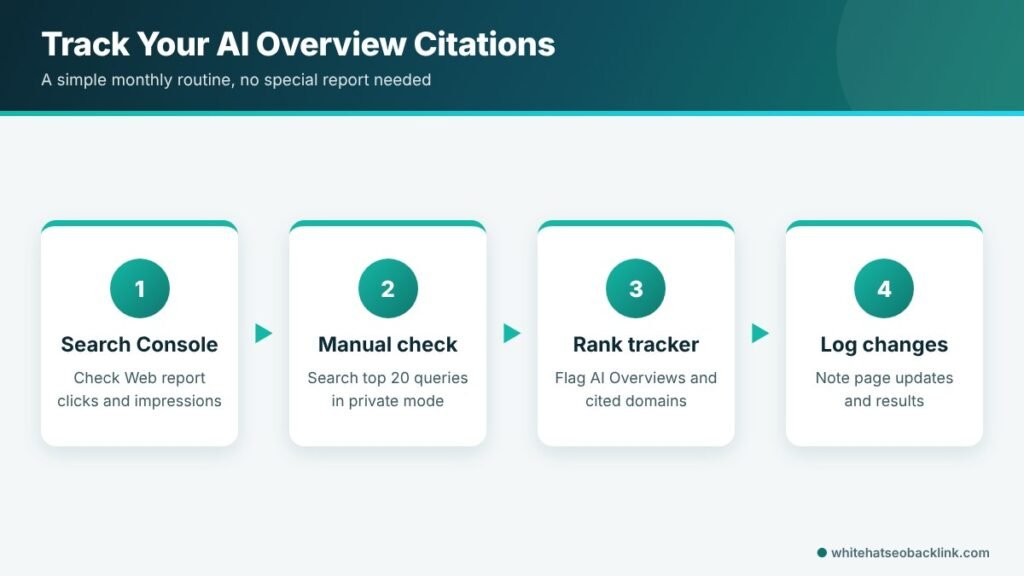
Once you start to show up in AI Overviews, you will want to measure it. Google does not yet offer a separate AI Overview report. Here is what you can do instead:
- Search Console: Clicks and impressions from AI features are counted in the normal “Web” performance report. Watch for queries where impressions rise but average position looks odd.
- Manual checks: Once a month, search your top 20 queries in a private window and record whether you are cited.
- Rank trackers: Many SEO tools now flag when an AI Overview appears and which domains it cites.
- Analytics notes: Add an annotation when you update a page, so you can link changes to results.
A simple spreadsheet with query, date, “AI Overview shown?” and “Cited?” is enough to spot trends.
Beyond Google: ChatGPT, Perplexity and Copilot
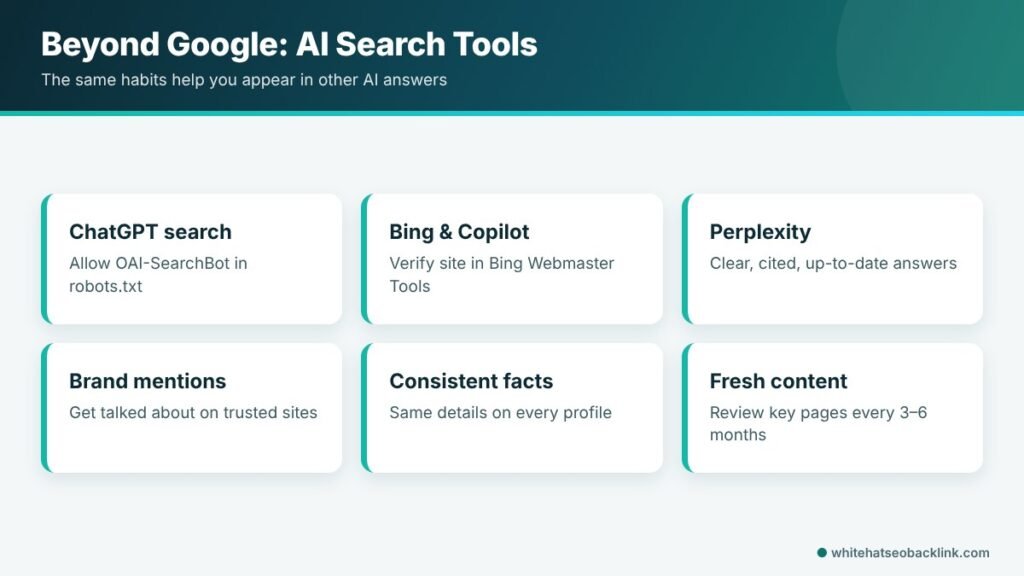
People now ask AI chat tools the same questions they used to type into Google. The same habits help you there:
- Allow AI search crawlers such as OAI-SearchBot (used for ChatGPT search) in robots.txt if you want to be cited.
- Verify your site in Bing Webmaster Tools, since several AI tools draw on Bing’s index.
- Keep facts consistent about your business across your site, profiles and directories.
Mistakes That Keep You Out of AI Overviews
These habits make it much harder to show up in AI Overviews:
- Writing long intros before you answer the question
- Hiding answers in tabs, accordions that need JavaScript, or images of text
- Copying what the top result says without adding anything new
- Chasing AI citations for queries that never show an AI answer
- Using nosnippet tags without understanding what they block
Final Thoughts
There is no special form to fill in and no paid shortcut. Sites that show up in AI Overviews do the basics very well: they rank, they answer clearly, they prove expertise and they stay current. Pick five pages that already rank on page one, apply the steps above, and track the results for 60 days.
FAQs
Can I pay to show up in AI Overviews?
No. Citations are organic. Ads can appear above or below AI Overviews, but you cannot buy a citation.
Do I need special schema for AI Overviews?
No special markup exists. Standard schema such as Article, Organization and Person simply helps Google understand your content.
How long does it take to show up in AI Overviews?
If a page already ranks well, changes can show within a few weeks of Google recrawling it. New pages need to earn rankings first, which can take months.
Can I stop my site from appearing in AI Overviews?
Yes. The nosnippet and max-snippet controls limit how your content is used in AI features, but they also affect normal snippets, so use them with care.
Do AI Overviews reduce clicks?
For some simple questions, yes. For detailed topics, being cited can still bring qualified visitors and brand awareness.