WordPress Landing Page Design: 10 Tips for Pages That Convert
A homepage has many jobs. A landing page has only one: get the visitor to take a single action. Book a call, request a quote, download a guide or buy a product.
That focus is why good landing pages convert so much better than sending traffic to a general page. And with WordPress, you can build one without a developer. This guide covers WordPress landing page design step by step: the structure that converts, the tools you can use, design tips for mobile and speed, and the SEO settings most guides forget.
Landing Page vs Homepage: What Is the Difference?
| Homepage | Landing page | |
|---|---|---|
| Goal | Introduce the whole business | Get one specific action |
| Navigation | Full menu with many links | Little or no navigation |
| Audience | Everyone | One audience from one source (ad, email, search) |
| Content | Broad overview | One offer, one message |
If you need help with your main page, read our guide to WordPress homepage design. This article is only about focused landing pages.

3 Ways to Build a Landing Page in WordPress
1. The block editor (free)
The built-in WordPress block editor can build clean landing pages, especially with a block-based theme or a block plugin. Many themes, like Kadence, let you hide the header, footer and page title per page, which is perfect for landing pages.
2. A page builder
Builders like Elementor or Beaver Builder give you drag-and-drop control and ready-made templates. They are easy to use, but they can add extra code that slows pages down, so keep designs simple.
3. A landing page plugin or template kit
Some plugins focus only on landing pages, with A/B testing and conversion features. These are useful if you run many paid campaigns.
Whichever you choose, pick a lightweight setup. Our guide on how to choose a WordPress theme explains what to look for.
The Landing Page Structure That Converts
Most high-converting landing pages follow a similar order. You do not need every section, but this layout works for most offers:
- Hero section: a clear headline, one short sentence of support and one button.
- The problem: show you understand the visitor’s pain.
- The solution and benefits: what they get, written as outcomes, not features.
- Social proof: reviews, client logos, star ratings or short case results.
- How it works: three simple steps that make the next move feel easy.
- Offer details: price, what is included or what happens after they submit.
- FAQ: answer the doubts that stop people from acting.
- Final call to action: repeat the button with a short reminder of the benefit.

10 WordPress Landing Page Design Tips
1. Match the message to the traffic source
If your ad says “Free SEO Audit in 48 Hours”, your landing page headline should say the same. When the message changes, visitors feel lost and leave.
2. Remove distractions
Hide the main menu, sidebar and busy footer. Every extra link is a new way to leave without converting.
3. Write a headline that states the benefit
Clear beats clever. “Get More Local Leads From Google in 90 Days” is better than “Unlock Your Potential”.
4. Use one primary call to action
One button text, one color, repeated two or three times down the page. Make it say what happens: “Get My Free Quote” is better than “Submit”.
5. Design for mobile first
Most visitors will see your page on a phone. Use large buttons, short paragraphs, readable font sizes and a form that is easy to fill with a thumb. Our guide to making a WordPress site mobile friendly covers the details.
6. Keep forms short
Only ask for what you really need. Name and email may be enough. Each extra field lowers the number of people who finish.
7. Use real images
Photos of your team, your work or your product build more trust than generic stock images. Compress every image before uploading.
8. Show proof near the button
Place a review, a star rating or a “trusted by 200+ businesses” line right next to the call to action, where doubt is highest.
9. Make it fast
A slow landing page wastes ad money. Aim for good Core Web Vitals: use a light theme, compress images, limit plugins and use caching. See our guide on how to speed up a WordPress site.
10. Use contrast and white space
Your button should be the most eye-catching color on the page. Plenty of white space makes the page easier to scan and the button easier to see.

SEO Settings for Landing Pages (Often Missed)
Not every landing page should be in Google. Decide based on how you use it:
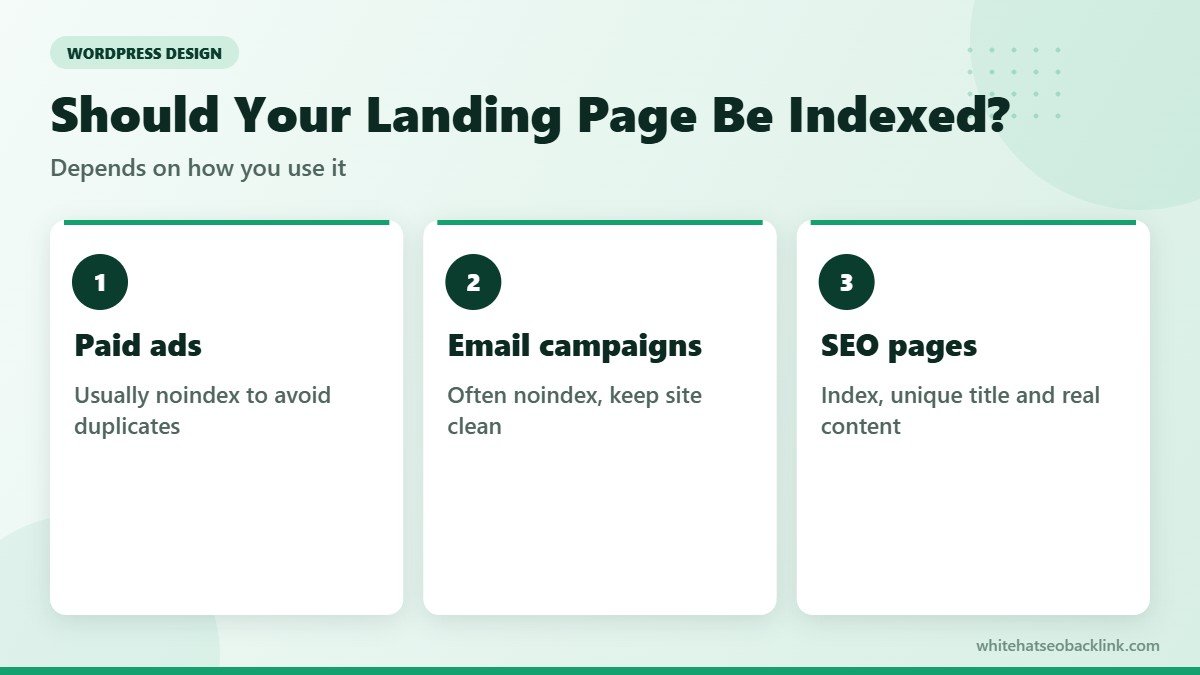
- Paid ad or email landing pages: often set to noindex, especially if they copy content from other pages. This avoids duplicate content and keeps your site clean.
- SEO landing pages (for example a service or location page you want to rank): keep them indexed, give them a unique title tag and meta description, add helpful content and link to them from your main navigation or related pages.
For organic landing pages, remember that a page with very little text and no links pointing to it is unlikely to rank. Follow our SEO friendly website design principles.
Test and Improve
Your first version will not be your best. Track conversions in Google Analytics and test one change at a time:
- Headline wording
- Button text and color
- Form length
- Hero image
- Position of reviews
Give each test enough visitors before deciding. Small sites may need several weeks per test.
Common WordPress Landing Page Mistakes
- Sending ad traffic to the homepage instead of a landing page
- Keeping the full menu and sidebar on the page
- Too many offers or buttons on one page
- Heavy sliders, videos and animations that slow the page
- Forms that do not work on mobile or never get tested
FAQ
Do I need a plugin to make a landing page in WordPress?
No. The block editor and a flexible theme are often enough. A builder or plugin just makes it faster if you build many pages.
Should landing pages be indexed by Google?
SEO landing pages should be. Paid ad and campaign pages often should not, especially if they duplicate other content.
How long should a landing page be?
It depends on the offer. Simple, free offers can work with short pages. Expensive or complex services usually need longer pages that answer more questions.
What is a good landing page conversion rate?
It varies a lot by industry, offer and traffic source. Focus on improving your own rate over time instead of chasing averages.
Final Thoughts
Great WordPress landing page design is about focus. One audience, one message, one action. Remove distractions, match the message to your traffic, design for mobile and speed, and keep testing.
Want your landing pages to rank and convert? Explore our SEO services or contact us for help.