Is WordPress a Good Website Builder? An Honest Look at Pros, Cons and Costs
If you’re planning a new website, you’ve probably heard someone say, “Just use WordPress.” It powers more than 40% of all websites, according to W3Techs, from small blogs to major news sites. But popular doesn’t automatically mean right for you.
So, is WordPress a good website builder? For many businesses, yes. For some, a simpler tool is a better fit. This guide gives you an honest look at the pros, the cons, the real costs and who WordPress suits best, so you can decide with confidence.

First, Which WordPress Are We Talking About?
There are two versions, and mixing them up causes a lot of confusion:
- WordPress.org is free, open-source software. You install it on your own hosting and have full control. This is what most people mean by “WordPress”.
- WordPress.com is a hosted service run by Automattic. It’s easier to start with, but features like plugins depend on the plan you pay for.
In this article, we’re mainly talking about self-hosted WordPress.org.
Is WordPress Technically a Website Builder?
Strictly speaking, WordPress is a content management system (CMS), not a drag-and-drop builder like Wix or Squarespace. But with its block editor (Gutenberg), modern block themes and page builder plugins such as Elementor, it now works like a website builder for most people. You can design pages visually without writing code.
The Pros of Using WordPress
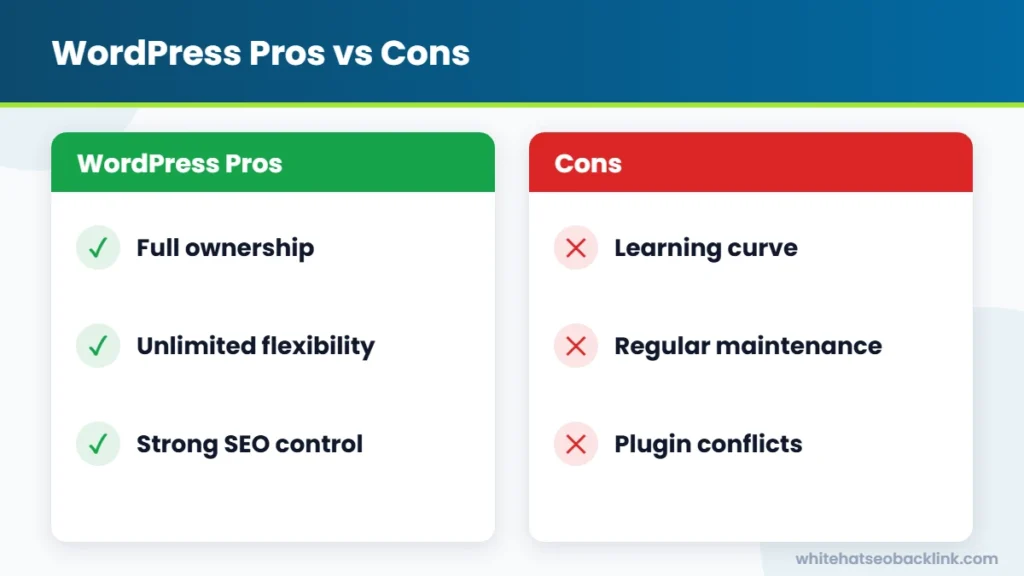
1. You Own Your Website
Your content, design and data sit on hosting you control. You can move to a different host at any time. With closed builders, moving away often means rebuilding from scratch.
2. Almost Unlimited Flexibility
Thousands of themes and plugins let you add almost any feature: online shops, booking systems, memberships, multilingual content, forums and more. If you can imagine it, there’s usually a plugin for it.
3. Strong SEO Control
WordPress gives you full control over URLs, page titles, meta descriptions, redirects, schema and site structure. With a plugin like Rank Math or Yoast, you can handle most on-page SEO tasks without a developer. Our guide to SEO friendly website design shows how to put that control to good use.
4. It Grows With Your Business
You can start with a simple five-page site and later add a blog, an online store with WooCommerce or a client portal, all without changing platforms.
5. A Huge Community
Because so many people use WordPress, help is easy to find. There are tutorials, forums, freelancers and agencies for every budget.
The Cons of Using WordPress
1. There Is a Learning Curve
The dashboard, themes, plugins and settings can feel overwhelming at first. Most people get comfortable within a few weeks, but it isn’t as instant as an all-in-one builder.
2. You Handle Maintenance
WordPress core, themes and plugins need regular updates. You’ll also need backups and basic security. Many hosts now automate much of this, but someone still needs to keep an eye on it.
3. Plugins Can Cause Problems
Too many plugins, or poorly made ones, can slow your site down, conflict with each other or create security holes. Choose plugins with good reviews and recent updates, and remove anything you don’t use.
4. Speed Depends on Your Choices
A WordPress site can be very fast or very slow. It depends on your hosting, theme and plugins. Our guide on how to speed up a WordPress site covers the fixes that make a real difference.

How Much Does a WordPress Website Cost?
The software is free, but running a website isn’t. Typical yearly costs look like this:
| Item | Typical cost |
|---|---|
| Domain name | $10–$20 per year |
| Hosting | $50–$300+ per year, depending on quality |
| Premium theme (optional) | $0–$100 one-off or yearly |
| Premium plugins (optional) | $0–$300 per year |
| Professional design (optional) | A few hundred to several thousand dollars |
A simple DIY business site can run for under $150 a year. Prices vary, so compare a few providers before you commit.
WordPress vs Other Website Builders
| Feature | WordPress.org | Wix / Squarespace | Shopify |
|---|---|---|---|
| Ease of setup | Moderate | Very easy | Easy |
| Design flexibility | Very high | Medium | Medium |
| SEO control | Full | Good, with limits | Good, with fixed URL structures |
| Ownership and portability | Full | Limited | Limited |
| Maintenance | On you (or your host) | Handled for you | Handled for you |
| Best for | Growing businesses, blogs, content sites | Simple brochure sites | Product-focused online stores |
Who Should Use WordPress?
Still asking yourself, is WordPress a good website builder for your business? It’s a great choice if you:
- Plan to grow your traffic through SEO and content
- Want full ownership of your website
- Expect to add features over time
- Have a little time to learn, or a budget for help
Who Might Prefer Something Else?
A simpler builder may suit you better if you:
- Need a basic one-page site live today
- Don’t want to think about updates or hosting at all
- Run a store where products are the whole business and you prefer an all-in-one platform

Tips to Get WordPress Right From Day One
- Choose quality managed hosting rather than the cheapest plan.
- Pick a lightweight, well-supported theme. Our guide on how to choose a WordPress theme lists the checks to make first.
- Keep plugins to the ones you really need.
- Turn on automatic backups and updates.
- Install an SEO plugin and set up clean permalinks before you publish content.
The Verdict: Is WordPress a Good Website Builder?
Yes, WordPress is a very good choice for most businesses that want flexibility, full ownership and long-term SEO growth. It asks for a bit more learning and maintenance than closed builders, but it gives far more freedom in return. If you just need a simple page fast and never want to think about updates, a hosted builder may be easier.
Want a fast, SEO-ready WordPress site without the learning curve? Take a look at our services.
Frequently Asked Questions
Is WordPress good for beginners?
Yes, with a little patience. The block editor is easy to use, and many hosts install WordPress for you in one click. Expect a few weeks to feel fully confident.
Is WordPress free?
The WordPress.org software is free. You’ll still pay for a domain and hosting, and optionally for premium themes and plugins.
Is WordPress better than Wix for SEO?
WordPress offers more control over technical SEO, URLs and site structure. Wix has improved a lot, but WordPress is still preferred for content-heavy and SEO-focused sites.
Is WordPress secure?
WordPress core is well maintained. Most problems come from outdated plugins, weak passwords or poor hosting. Keep everything updated and use a reputable host.
Can I build an online store with WordPress?
Yes. WooCommerce, a free plugin, turns WordPress into a full online store that can handle everything from a few products to thousands.