Topic Clusters: How to Plan, Build and Link Them (Simple 2026 Guide)
Ever written a great blog post that just won’t rank? Often the post is fine. The problem is that it stands alone. Google wants to see that your site covers a subject in depth, not just once. That is exactly what a cluster plan fixes.
In this guide you will learn what topic clusters are, how to plan one in an afternoon, how to link the pages, and the mistakes that quietly kill results. No fancy software needed.
What Are Topic Clusters?
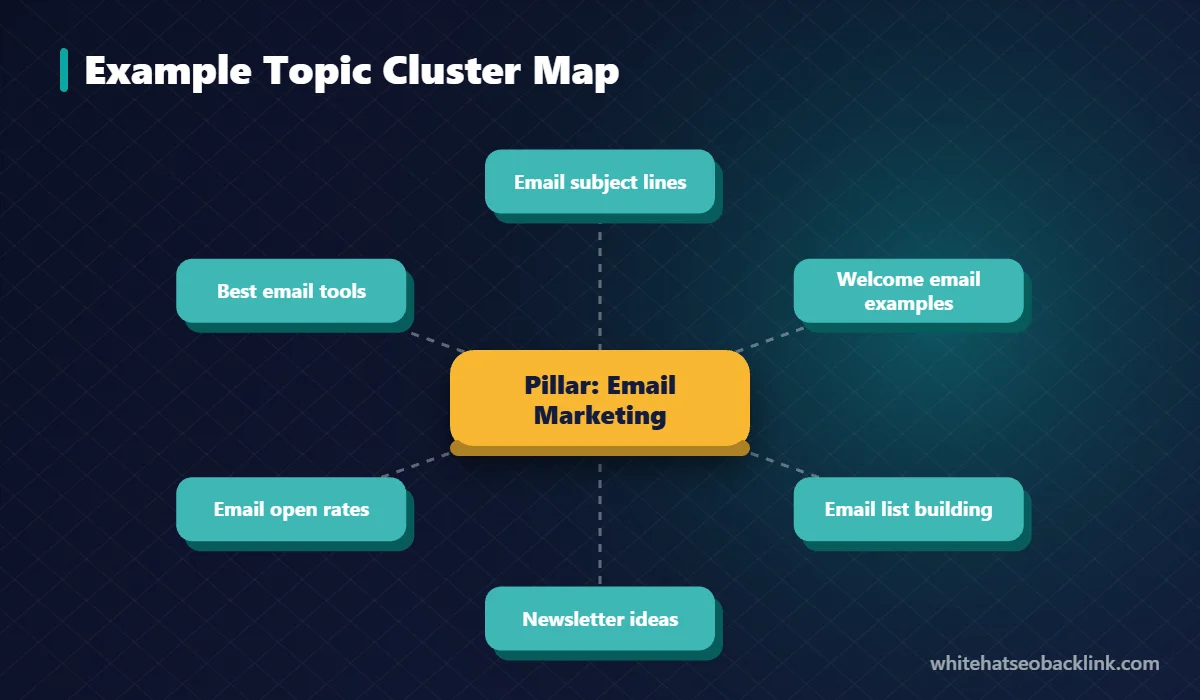
Topic clusters are groups of related pages built around one main subject. Each group has two parts:
- A pillar page – a broad guide that covers the whole topic at a high level.
- Cluster posts – focused articles that go deep on one subtopic each.
All the cluster posts link to the pillar, and the pillar links back to each of them. This web of links shows search engines that your site is a real authority on the subject. It also helps readers find the next answer they need.
Why Topic Clusters Work in 2026
Search engines and AI tools now judge sites by topics, not single keywords. Here is why the model works so well:
- Topical authority – many helpful pages on one subject build trust faster than random posts.
- Better crawling – strong internal links help Google find and refresh pages.
- Shared ranking power – links that point to one post help the whole group.
- Longer visits – readers click from one post to the next, which is a good sign of a useful site.
- AI visibility – tools like Google AI Overviews prefer sources that cover a topic fully.
Pillar Page vs Cluster Post
The two page types do different jobs. Mixing them up is a common reason a group never ranks.
| Pillar page | Cluster post | |
|---|---|---|
| Scope | Whole subject, high level | One question, in depth |
| Length | 2,500–4,000 words | 1,200–2,000 words |
| Keyword | Broad, high volume | Long-tail, specific |
| Main job | Hub that sends readers deeper | Answer one need completely |
| Links | Out to every subpage | Back to the hub and siblings |
How to Build Topic Clusters Step by Step
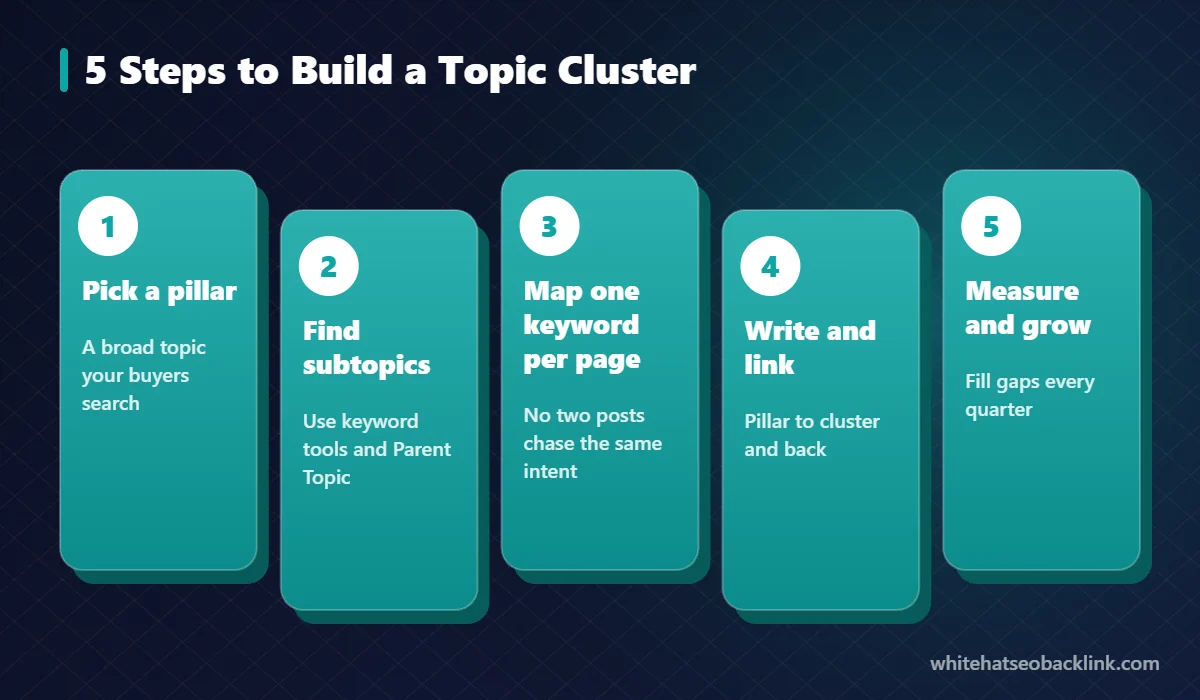
Step 1: Choose a Pillar Topic
Pick a topic that is broad, linked to what you sell, and big enough for at least 6–10 supporting posts. “Email marketing” works. “Best time to send emails on Tuesday” is too narrow to be a pillar.
Step 2: Find Your Subtopics
Put your pillar keyword into Ahrefs Keywords Explorer, Semrush or even Google’s “People also ask” box. Collect questions and related terms. A useful trick most guides miss: in Ahrefs, check the Parent Topic column. If two keywords share the same Parent Topic, they usually belong on one page, not two.
Step 3: Map One Keyword to One Page
This is the step that protects you from keyword cannibalization. Make a simple sheet with three columns:
| Page | Main keyword | Search intent |
|---|---|---|
| Pillar | email marketing | Learn the basics |
| Cluster | email subject lines | Get examples |
| Cluster | welcome email examples | Get templates |
| Cluster | how to build an email list | Learn a process |
If two rows share the same intent, merge them. Planning on paper first saves hours of rewriting later.
Step 4: Write the Pillar Page
Keep the pillar wide but not shallow. Give each subtopic a short section (100–200 words) with a link to the full cluster post. Think of it as a smart table of contents that still answers the basic question.
Step 5: Write the Cluster Posts
Each cluster post should fully answer one question. Follow a clear format: direct answer first, then steps, examples and an FAQ. Our SEO content writing process shows how to do this without wasting words.
How to Link Topic Clusters the Right Way
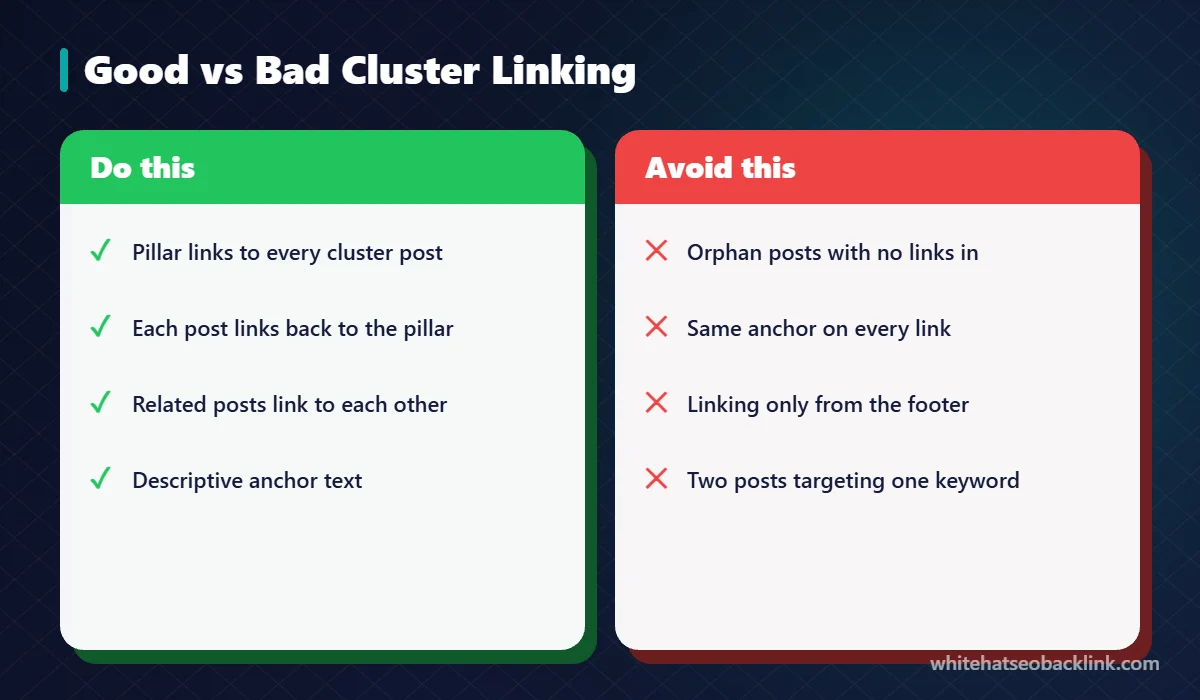
Linking is where most topic clusters fall apart. Follow these simple rules:
- The pillar links to every cluster post, high up in the content where it matters.
- Every cluster post links back to the pillar using a natural, descriptive anchor.
- Cluster posts link to one another when it truly helps the reader.
- Vary your anchor text. Don’t use the exact same words every time.
- Add new posts to the pillar the same day you publish them, so they are never orphan pages.
A Real Example: A Local Bakery
Imagine a bakery that wants more custom cake orders. Its pillar could be “custom birthday cakes”. Supporting posts might answer: how much a custom cake costs, how far ahead to order, cake sizes per number of guests, popular kids’ cake themes, and how to keep a cake fresh overnight.
Each post answers a real customer question. Each one links back to the main cake page, which links to the order form. Within a few months the bakery can rank for dozens of small searches, and the main page gets stronger because all those posts point to it. Nothing here needed a big budget. It only needed a plan and steady publishing.
Helpful Free and Paid Tools
- Google Search Console – find queries you already get impressions for but have no page for yet.
- AlsoAsked or “People also ask” – see the follow-up questions people search next.
- Ahrefs or Semrush – check difficulty, volume and Parent Topic in bulk.
- A plain spreadsheet – the simplest way to map pages, keywords and links.
- Link Whisper or a manual audit – spot posts with too few internal links.
Topic Clusters for Small Sites
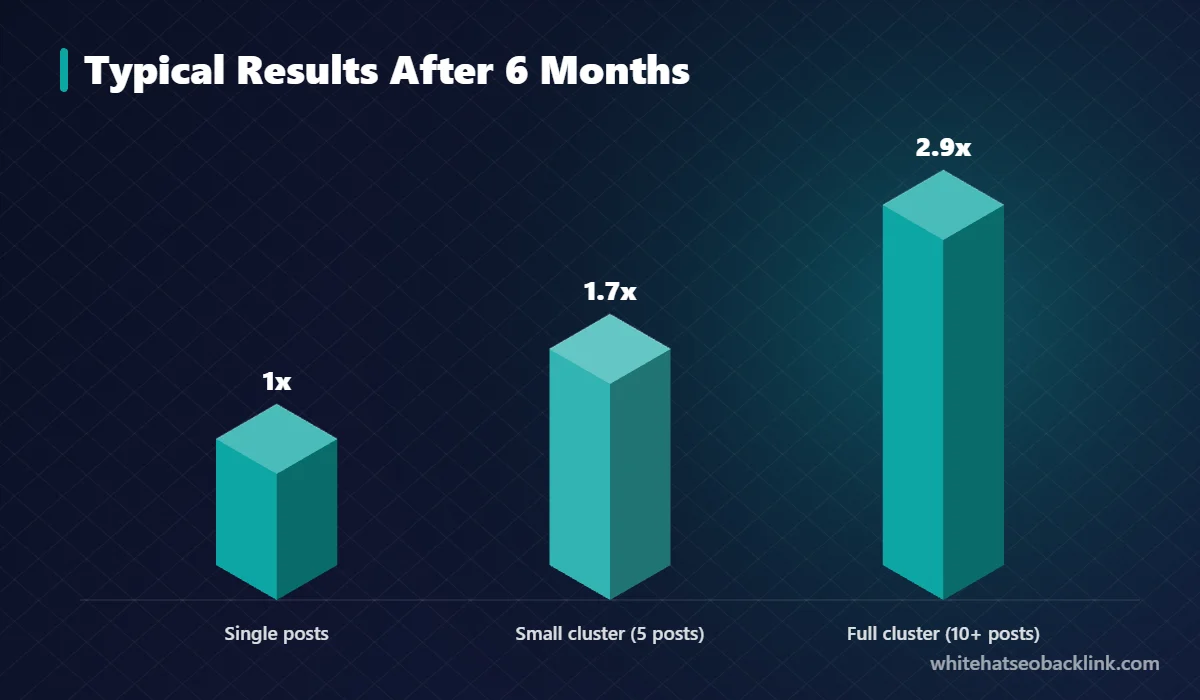
You don’t need 50 posts to start. A small business can launch with one pillar and four or five cluster posts. Add one new post a month. Many small sites see their first page-one rankings this way, because a tight group of pages beats a large pile of random posts.
How to Measure Your Results
Most guides stop at “publish and wait”. Instead, track the whole group together:
- In Google Search Console, filter pages by a URL pattern or folder to see total clicks for the group.
- Watch how many keywords the pillar ranks for each month. Rising numbers mean authority is growing.
- Look for posts with impressions but few clicks. Rewrite their titles first.
- Check for two pages swapping places for the same query. That is a sign to merge them.
Common Mistakes to Avoid
- Writing cluster posts that repeat the pillar word for word
- Building too many clusters at once and finishing none
- Forgetting old posts that should join a cluster
- Keeping thin posts that drag the group down (our guide to content pruning shows how to clean these up)
FAQ
How many posts should a topic cluster have?
Start with 5–10 cluster posts. Large topics can grow to 30 or more over time.
Can one post belong to two topic clusters?
Yes, if it truly fits both. Link it from both pillars, but give it one clear main keyword.
How long until topic clusters rank?
Most sites see movement in 2–4 months, with stronger gains after 6 months as the group fills in.
Are topic clusters still worth it with AI search?
Yes. AI tools also look for sites that cover a subject well, so topic clusters help in both classic and AI search.
Final Thoughts
Topic clusters turn scattered posts into a clear map that both people and search engines can follow. Pick one pillar this week, map five cluster posts with one keyword each, and link them together. Then keep adding to the group month by month. Simple, steady work like this is what builds real authority.