Rel Sponsored: When and How to Use It on Guest Posts
If you pay for a guest post, sell one on your own site, or publish any link that came with money, a free product or a favor attached, Google expects you to label it. The label is a tiny piece of HTML called rel sponsored, and getting it right is one of the simplest ways to keep a guest posting strategy on the white-hat side of the line.
This guide explains what the rel sponsored attribute does, how it differs from nofollow and UGC, exactly when to use it on guest posts and other content, how to add it in WordPress, and how to check the links already on your site.
Key takeaways
- Rel sponsored marks links that exist because of payment, a free product, an affiliate deal or any other commercial arrangement.
- Paid guest posts, sponsored articles, affiliate links and gifted reviews all need the sponsored tag (or nofollow).
- Free guest posts accepted on merit and genuine editorial citations should stay normal links.
- The publisher adds the attribute, but buyers should confirm it before paying for any placement.
- Sponsored links are about traffic and visibility, not ranking credit, so judge them that way.
What is rel sponsored?
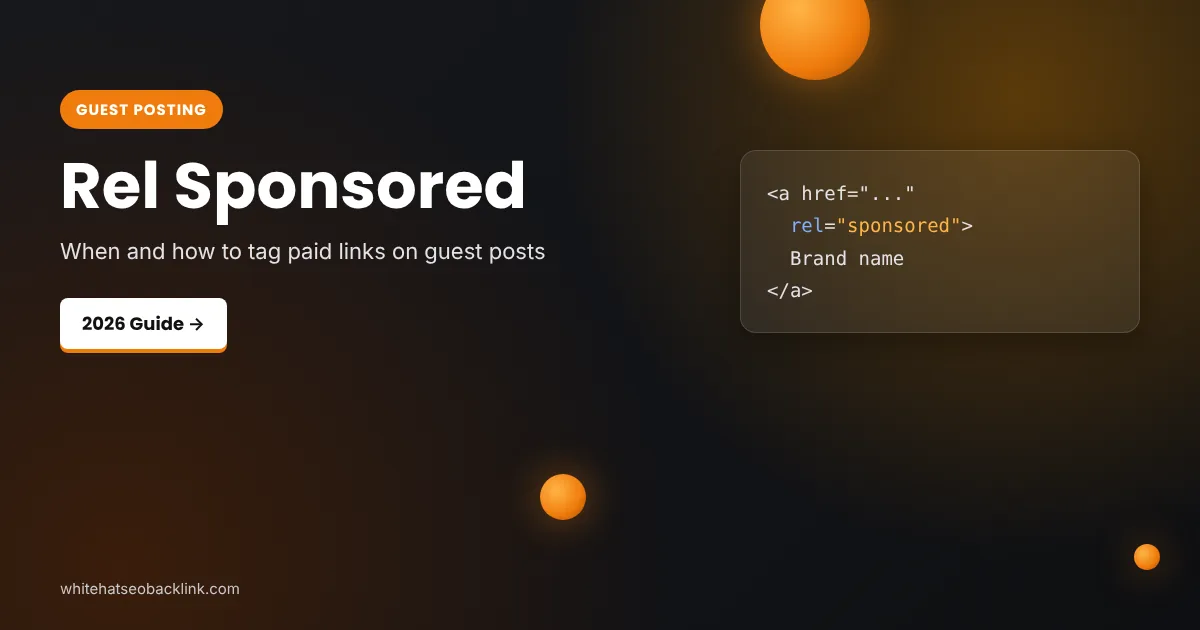
Rel sponsored is a link attribute that tells search engines a link exists because of a commercial arrangement, such as a paid placement, an advertisement, an affiliate deal or a sponsorship. In HTML it looks like this: rel="sponsored".
Google introduced the attribute in September 2019, alongside rel="ugc", to give site owners a more specific option than rel="nofollow". Since then, Google treats all three as hints rather than strict commands. In simple terms, the tag says: “this link is here because someone paid or gave us something, so please don’t count it as an editorial vote.”
Rel sponsored vs nofollow vs UGC
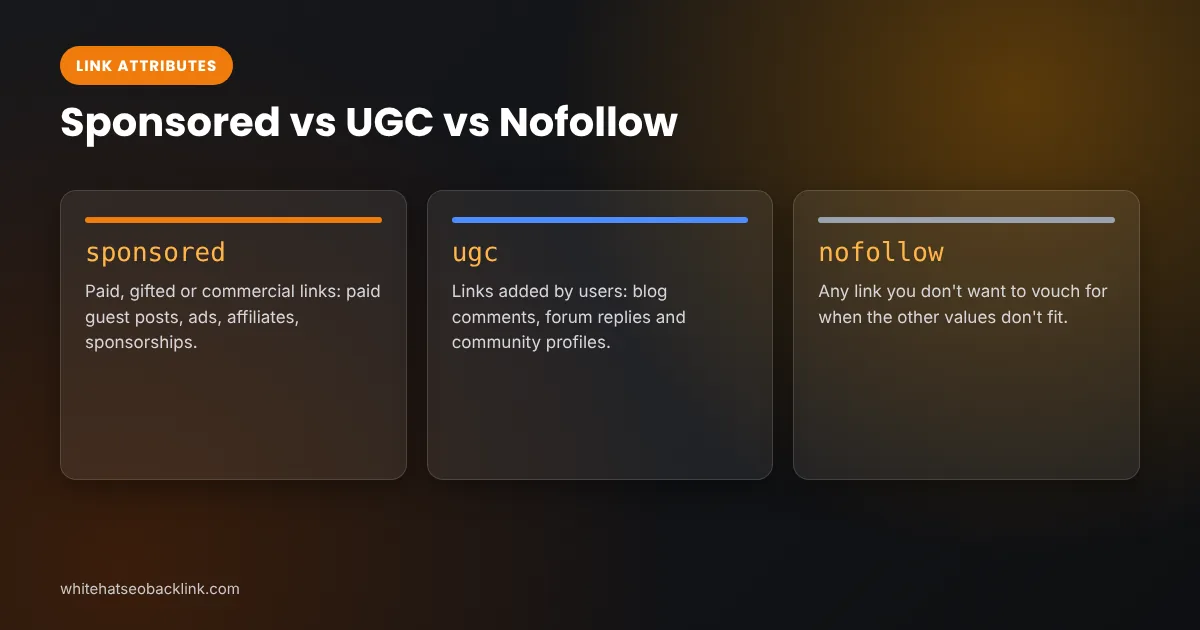
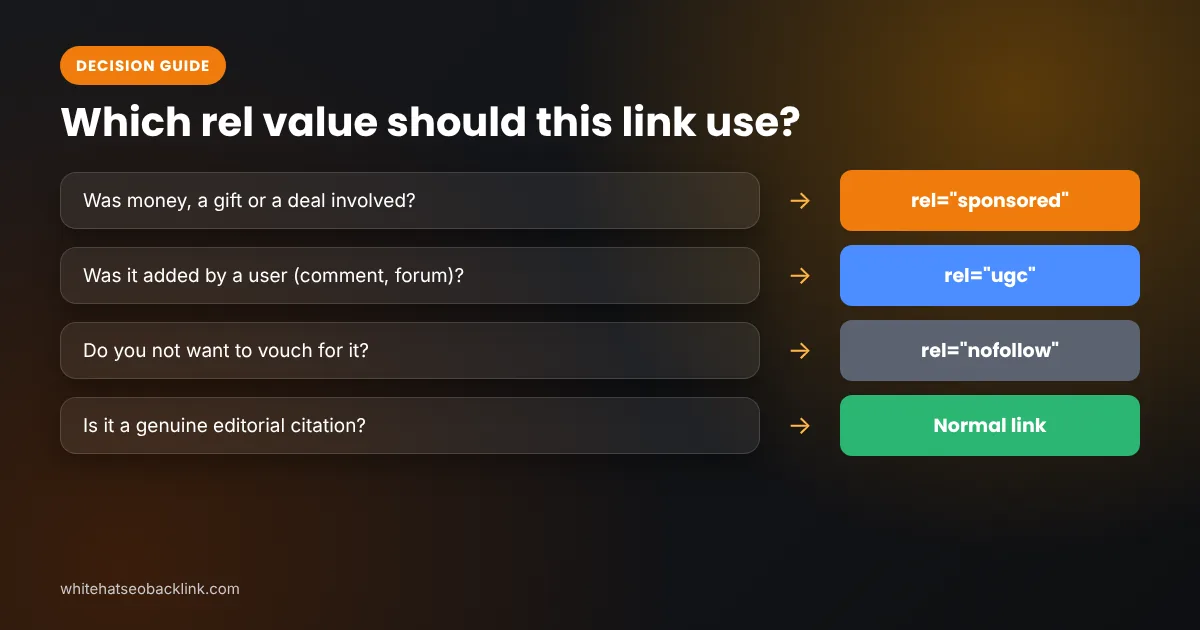
All three values qualify an outbound link, but each one describes a different reason the link exists:
rel=”sponsored”
Use it for links that were paid for, gifted or part of any commercial deal.
rel=”ugc”
Use it for links added by users, such as comments, forum posts and community profiles.
rel=”nofollow”
Use it when you don’t want to vouch for a link and none of the other values fit.
|
Attribute |
Meaning |
Typical use |
Passes ranking credit? |
|---|---|---|---|
|
rel=”sponsored” |
Commercial or paid link |
Paid guest posts, ads, affiliate links, sponsorships |
Treated as a hint; generally not counted as an endorsement |
|
rel=”ugc” |
User-generated link |
Blog comments, forum replies, user profiles |
Treated as a hint |
|
rel=”nofollow” |
No endorsement |
Untrusted links or any case you don’t want to vouch for |
Treated as a hint |
|
No attribute |
Normal editorial link |
Sources you cite and genuinely recommend |
Yes, can pass ranking signals |
You can also combine values in one attribute, for example rel="sponsored nofollow". That is useful because some other search engines and tools only recognize nofollow, while Google understands both.
When to use rel sponsored: real-world cases
The rule is simple: if the link wouldn’t exist without money, a free product, a discount or another kind of value changing hands, it needs to be tagged as sponsored (or nofollow). Here is how that plays out in common situations:
|
Situation |
Tag as sponsored? |
Why |
|---|---|---|
|
You paid a site to publish your guest post with a link |
Yes |
The placement was bought |
|
A site charged an “editorial fee” for your article |
Yes |
A fee is still payment, whatever it is called |
|
You wrote a free guest post and the editor accepted it on merit |
No |
No payment; the link is editorial |
|
You sell sponsored articles on your own blog |
Yes |
You received money for the content and links |
|
Affiliate links in a product review |
Yes |
You earn commission from the link |
|
A brand sent you a free product to review |
Yes |
The free product is a form of compensation |
|
Banner ads and sponsored widgets |
Yes |
They are advertising placements |
|
A link exchange (“I’ll link to you if you link to me”) |
Yes, or avoid it |
The link is part of a deal, not an independent choice |
|
A link in a blog comment |
No, use ugc |
It was added by a user, not paid for |
|
A link to a source you cite in your own article |
No |
It is a genuine editorial reference |
Rel sponsored and guest posts: who is responsible?
On a guest post, the site that publishes the article controls the HTML, so the publisher is responsible for adding the attribute. In practice, both sides should agree on it before any money moves.
If you are buying a guest post: Ask how paid links are tagged. A site that promises “permanent dofollow links” in exchange for payment is selling links that break Google’s spam policies, and that puts both sites at risk. Our guide on how to check guest post site quality covers the other red flags to watch for.
If you are selling sponsored posts: Add the rel sponsored attribute to every link that the sponsor requested, and label the post itself as sponsored for readers. Clear disclosure protects your reputation as well as your rankings.
If you write free guest posts: Editorial links in content you contribute on merit don’t need the tag. This is the kind of guest posting that builds real authority, and it’s the approach we explain in guest posting for SEO.
Does a rel sponsored link still help SEO?
Not in the way a normal editorial backlink does. Google generally doesn’t treat a sponsored link as a vote of confidence, so you shouldn’t expect it to pass ranking credit. Because the attribute is a hint, Google can choose how to treat it, but planning on hidden value is not a strategy.
That doesn’t make sponsored placements useless. A well-placed sponsored article can still:
- Send relevant referral traffic from an audience that already trusts the publisher
- Put your brand name in front of new readers and in more places online
- Create brand mentions that AI tools may notice when they describe your company
- Lead to natural, editorial links later, when other writers discover your content
Judge sponsored content by traffic, leads and visibility, not by link equity. If budget is the question, our breakdown of guest post pricing shows what reasonable placements cost.
What happens if you don’t use it?
Google’s spam policies treat buying or selling links that pass ranking credit as link spam. If paid links are left untagged, a few things can happen:
- The links are ignored. Google’s systems often detect paid patterns and simply discount them, so your money buys nothing.
- The selling site loses trust. Sites that sell untagged links can see their outbound links devalued, which hurts every site they link to.
- A manual action. In clear cases, Google can issue a manual action for unnatural links, visible in Search Console, that can reduce rankings until it’s fixed.
For a buyer, the safest move is to only pay for placements that are properly tagged and disclosed, and to focus your organic link efforts on earning backlinks the editorial way.
How to add rel sponsored to a link
In HTML
Add the attribute inside the anchor tag. Here are the most common versions:
<a href="https://example.com/" rel="sponsored">Example brand</a>

<a href="https://example.com/" rel="sponsored nofollow">Example brand</a>

<a href="https://example.com/" rel="sponsored noopener" target="_blank">Example brand</a>
In WordPress with Rank Math
Rank Math adds link options to the block editor. Select the linked text, open the link settings and switch on the sponsored option. Rank Math writes the attribute into the HTML for you, so there’s no need to edit code.
In WordPress without a plugin
Select the block with the link, open the three-dot menu and choose “Edit as HTML.” Add rel="sponsored" inside the <a> tag, then switch back to visual editing and update the post.
How to audit sponsored links on your site
If you’ve published sponsored or guest content in the past, check it once and then review new posts as they go live:
- List your commercial content. Gather every sponsored post, paid guest post, review and affiliate page.
- Crawl the outbound links. Use Screaming Frog or a similar crawler to export all external links with their rel values.
- Filter the commercial pages. Look for links on those pages that have no rel attribute at all.
- Tag what was paid. Add the sponsored tag to any link that came with payment, a free product or a deal.
- Add reader disclosure. Put a short “Sponsored” or “Contains affiliate links” note near the top of the post.
- Set a rule for the future. Add link tagging to your editorial checklist and your guest posting guidelines, so every new paid piece is tagged before it is published.
Common rel sponsored mistakes
- Tagging internal links. Don’t add sponsored or nofollow to links between your own pages. It wastes internal link value.
- Tagging every external link. Your genuine editorial citations should stay normal links. Over-tagging makes your content look less trustworthy, not more.
- Tagging only the “main” link. If a sponsor asked for three links, all three need the attribute.
- Removing the tag later. Some buyers ask publishers to remove the tag after a few months. Don’t. The link is still paid.
- Skipping reader disclosure. The attribute is for search engines. Readers still need a visible label, and in many places advertising rules require it.
Rel sponsored FAQs
Final thoughts
Rel sponsored is a small attribute with a big job: it keeps paid placements honest. Tag every link that came with money or value attached, leave your genuine editorial links alone, and put your real link building effort into content and outreach that editors accept on merit. That combination keeps your site safe and builds authority that lasts.
Want guest posts that are safe and properly tagged?
We place white-hat guest posts on real, relevant sites and follow Google rules on every link, including rel sponsored where it applies.