Competitor Analysis Template: Free Spreadsheet + How to Use It
Every business has competitors, but few look at them in a structured way. Most teams glance at a rival’s homepage, notice a new ad, and move on. A competitor analysis template turns that guesswork into a clear picture: who you’re up against, where they’re strong, where they’re weak, and what you should do about it.
Below you can download our free competitor analysis template (a 10-tab spreadsheet), then follow a step-by-step guide to filling it in, including dedicated SEO and paid ads sections that most templates skip.
Key takeaways
- A competitor analysis template compares every rival on the same factors, so patterns and gaps become obvious.
- Analyze three to five competitors, including direct, indirect and search competitors.
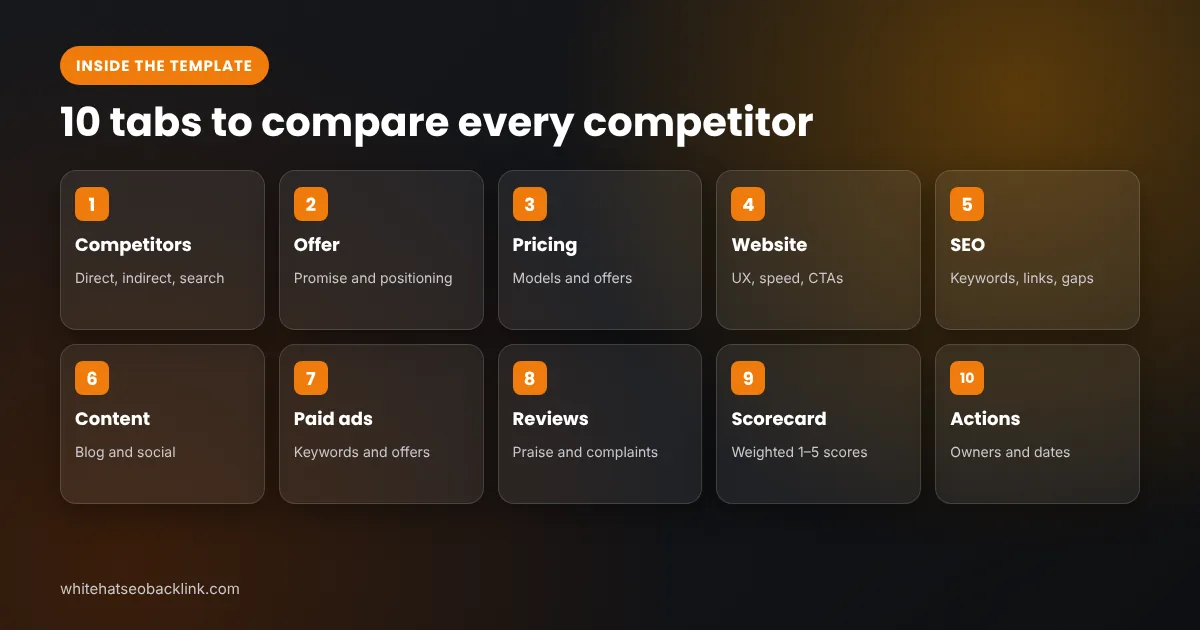
- Our free download has 10 tabs, from offer and pricing to SEO, ads, reviews and an auto-scoring scorecard.
- Treat SEO tool traffic as estimates and learn from competitors without copying them.
- Turn every key finding into an action with an owner and a date, then update quarterly.
What is a competitor analysis template?
A competitor analysis template is a ready-made framework for comparing your business with your competitors across the same set of factors, such as offer, pricing, website, SEO, content, ads and reputation. Because every competitor is judged on the same fields, you can spot patterns and gaps instead of collecting random notes.
It is different from a SWOT analysis. A SWOT looks inward at your own strengths, weaknesses, opportunities and threats. A competitor analysis looks outward, and its findings feed straight into your SWOT. If you haven’t done one yet, see our guide to SWOT analysis for small business.
Why use a competitor analysis template?
Find gaps to own
See the customers, topics and offers competitors ignore.
Price with confidence
Know where your prices sit in the market and why.
Sharpen your message
Stop sounding like everyone else in your industry.
Win in search
Learn which keywords and pages bring competitors their traffic.
Spend smarter on ads
See which offers and keywords rivals keep paying for.
Track changes over time
A repeatable template makes quarterly updates quick.
What’s inside our free competitor analysis template
The competitor analysis template is an Excel file that also opens in Google Sheets. It has ten tabs, and each tab compares your business with up to three competitors side by side:
|
Tab |
What you record |
|---|---|
|
1. Competitor list |
Who your direct, indirect and search competitors are |
|
2. Offer and positioning |
Headline promise, target customer, unique selling point, tone |
|
3. Pricing |
Pricing model, entry price, popular plan, offers |
|
4. Website and UX |
Clarity, mobile experience, speed, calls to action, lead magnets |
|
5. SEO |
Authority, referring domains, traffic, top keywords and pages, content gaps |
|
6. Content and social |
Posting frequency, best content, channels, engagement, newsletter |
|
7. Paid ads |
Google and social ads, keywords, offers, landing pages |
|
8. Reviews and reputation |
Ratings, review volume, common praise and complaints |
|
9. Scorecard |
Weighted 1–5 scores that total up automatically |
|
10. Action plan |
Findings turned into tasks with owners and dates |
How to use the competitor analysis template
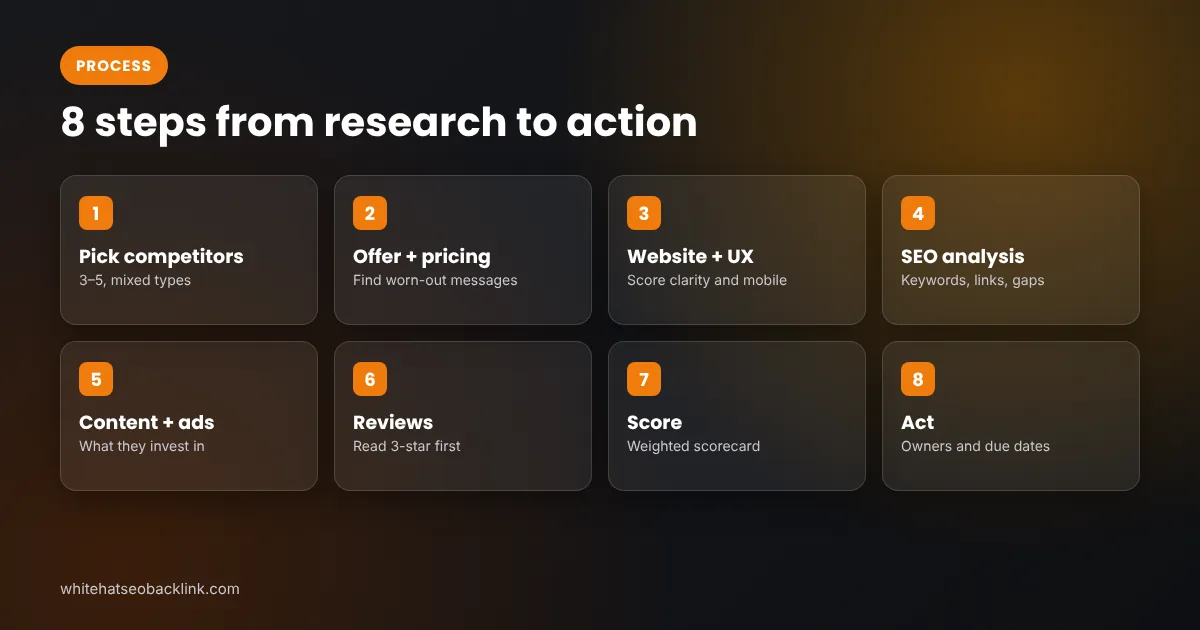
Step 1: Pick the right competitors
Choose three to five competitors, and include more than one type:
- Direct competitors sell the same thing to the same customers.
- Indirect competitors solve the same problem a different way, such as software instead of an agency.
- Search competitors rank for your main keywords, even if they don’t sell what you sell. Directories, publishers and marketplaces often fall into this group.
To find search competitors, search your top five keywords and note who appears repeatedly on page one, or use the competing domains report in Ahrefs.
Step 2: Compare offer, positioning and pricing
Read each competitor’s homepage and main service pages as if you were a customer. Write down their main promise, who they target, what makes them different and how they price. Look for patterns: if everyone promises “fast results,” that message is worn out, and you have room to own a different one.
Step 3: Review the website and user experience
Score each site from 1 to 5 for clarity and mobile experience, check page speed, and note the main call to action and any lead magnet. Then try to contact each competitor the way a customer would. How easy is it, and how fast do they reply?
Step 4: Run the SEO competitor analysis
This is where the SEO tab earns its keep. For each competitor, record:
- Domain Rating and number of referring domains
- Estimated organic traffic (label it as an estimate)
- Their top keywords and top pages by traffic
- Topics they rank for that you don’t cover
- Obvious technical problems, like slow pages or missing titles
For the content side, our content gap analysis guide shows how to find the topics they rank for and you don’t. For links, see how to find competitors’ backlinks. Remember the rule: learn from competitors’ strategy, never copy their content.
Step 5: Check content, social and paid ads
Note how often each competitor publishes, which posts get the most engagement, and which social channels they actually use. For ads, check the Google Ads Transparency Center and the Meta Ad Library to see active ads, offers and landing pages. A competitor that has run the same ad for months has probably found something that works.
Step 6: Read their reviews
Reviews are free customer research. Read the three-star reviews first; they’re usually the most honest. Recurring complaints, like slow replies or hidden fees, show you exactly what to promise and deliver better.
Step 7: Score and prioritize
Use the scorecard tab to rate everyone, including yourself, from 1 to 5 in each area. The template applies weights and totals the scores automatically. Your lowest-scoring areas compared with the leader are your first priorities.
Step 8: Turn findings into actions
An analysis without actions is just research. For each important finding, write the opportunity, a specific action, an owner and a due date in the action plan tab. Then fold those actions into your digital marketing plan.
Competitor analysis template example
Here is a short, illustrative example of how the competitor analysis template might look for a small web design studio compared with two local rivals:
|
Area |
Your studio |
Competitor A |
Competitor B |
|---|---|---|---|
|
Main promise |
Fast, SEO-ready WordPress sites |
Award-winning creative design |
Cheap websites in 7 days |
|
Pricing |
Fixed packages |
Custom quotes only |
Low fixed price |
|
Mobile experience |
4/5 |
3/5 |
2/5 |
|
SEO |
Few referring domains, strong service pages |
Strong links, weak blog |
Little organic visibility |
|
Reviews |
4.9 (18 reviews) |
4.6 (64 reviews) |
3.8 (40 reviews) |
The opportunity: own the “SEO-ready design” message, publish the helpful guides Competitor A lacks, and collect more reviews to close the social proof gap.
Tools that help you fill in the template
|
Tool |
Use it for |
Cost |
|---|---|---|
|
Ahrefs or Semrush |
Traffic estimates, keywords, top pages, backlinks |
Paid |
|
Google Search |
Finding search competitors and checking SERP features |
Free |
|
PageSpeed Insights |
Comparing mobile speed and Core Web Vitals |
Free |
|
Google Ads Transparency Center |
Seeing competitors’ active Google ads |
Free |
|
Meta Ad Library |
Seeing Facebook and Instagram ads |
Free |
|
Google Business Profile listings |
Ratings, review counts and review themes |
Free |
Common competitor analysis mistakes
- Only tracking big brands. The local business or niche site that outranks you matters more than a household name you’ll never catch.
- Copying instead of learning. Copied content and offers rarely win. Use the gaps to do something better and different.
- Treating estimates as facts. Traffic numbers from SEO tools are estimates. Compare trends, not exact figures.
- Doing it once. Markets change. Update your analysis every quarter.
- No action plan. If nothing changes after the analysis, it wasn’t worth doing.
Competitor analysis template FAQs
Final thoughts
You don’t need a big research budget to understand your market. A good competitor analysis template, a few focused hours and an honest look at your own scores will show you where to compete and where to stand apart. Download the template, pick your competitors and start with the tab that matters most to your goals this quarter.
Want an expert competitor analysis?
We fill in the competitor analysis template for you, dig into your competitors’ SEO, content and links, and hand you a clear plan to outrank them the white-hat way.