SEO Report for Clients: What to Include in a Monthly SEO Report (With Template)
Most clients do not cancel SEO because results are bad. They cancel because they do not understand the results. A confusing, 40-page export full of charts tells them nothing. A clear one-page summary that links work to business outcomes keeps them for years.
This guide explains exactly what to include in a monthly SEO report for clients, which metrics matter (and which to skip), a simple report structure you can copy and the tools that make reporting faster.
What Is an SEO Report for Clients?
An SEO report for clients (also called an SEO client report) is a regular update, usually monthly, that shows a client what you did, what changed and what comes next. It is not just a data dump. Its job is to answer one question: “Is my SEO investment working?”
Why a Good SEO Report for Clients Keeps Them Longer
- It builds trust. Clients see the work, not just the invoice.
- It sets expectations. SEO takes time, and reports show progress before rankings peak.
- It protects you. When traffic dips for seasonal reasons, the report explains it before the client panics.
- It creates upsell chances. Clear next steps make it natural to suggest extra work.
Reporting starts on day one. If you set clear goals during SEO client onboarding, your reports will practically write themselves.
What to Include in a Monthly SEO Report for Clients
1. Executive Summary (Most Important Section)
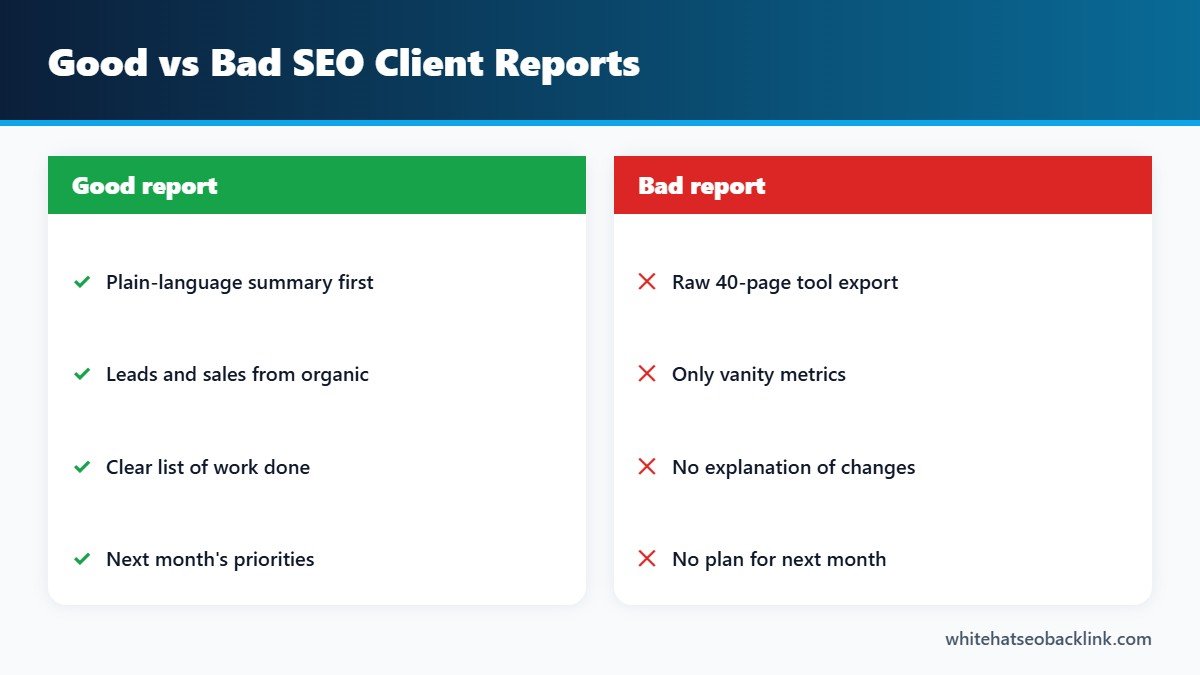
Three to five sentences in plain language at the top of every SEO report for clients. What went well, what did not, and what you will focus on next month. Many clients only read this part, so make it count.
2. Business Results
Start with what the client cares about: leads, calls, form fills, sales or bookings from organic search. Pull these from Google Analytics 4 conversions or your CRM. If you cannot track conversions yet, fix that first.
3. Organic Traffic
Show organic sessions or users this month vs last month and vs the same month last year. Year-over-year comparison removes seasonal noise.
4. Search Visibility
From Google Search Console, show total clicks, impressions and average position. Highlight a few queries that grew, especially ones with buying intent.
5. Keyword Rankings (Keep It Focused)
Track 10 to 30 priority keywords tied to services, not hundreds. Show movement up or down and group them by page or service.
6. Work Completed
List what you did: pages optimized, content published, technical fixes and links built. Short bullet points are enough. This is where clients see the value of your time.
7. Backlinks Earned
Show new referring domains and a few highlights. Quality matters more than quantity, so explain why a link is valuable. Our article on why relevant backlinks matter is a handy one to share with clients.
8. Technical Health
Summarize indexing issues, Core Web Vitals status and any errors fixed. Keep it simple: “All key pages indexed. 12 broken links fixed. Mobile speed improved.”
9. Next Month’s Plan
Three to five clear priorities. This shows you are thinking ahead and makes the next report easy to measure against.

Metrics to Show vs Metrics to Skip
| Show these | Skip or explain carefully |
|---|---|
| Organic leads and conversions | Domain Authority or Domain Rating alone |
| Organic traffic (year over year) | Total keyword count from tools |
| Clicks and impressions from Search Console | Bounce rate without context |
| Priority keyword rankings | Hundreds of low-value keywords |
| New quality referring domains | Raw backlink totals |
Third-party scores like DA or DR can be useful context, but they are not Google metrics. Never present them as the main goal.

Sample SEO Report for Clients (Example Summary)
Here is an example of how the first page of a sample SEO report for clients can look. Swap in your own numbers and keep the tone simple:
| Section | Example |
|---|---|
| Summary | Organic leads grew from 18 to 24 this month. Two new service pages now rank on page one. |
| Key numbers | Leads: 24 (+33%) · Organic users: 3,120 (+12% YoY) · Clicks: 2,450 (+9%) |
| Work done | 4 pages optimized, 2 blog posts published, 3 quality backlinks earned, 15 broken links fixed |
| Next month | Publish 2 location pages, improve mobile speed, start a resource page outreach campaign |
Notice how this example SEO report for clients starts with leads, not rankings. Clients understand leads instantly, and the rest of the report then explains how you got there. Note: the numbers above are for illustration only.
SEO Report for Clients Template: A Simple Structure
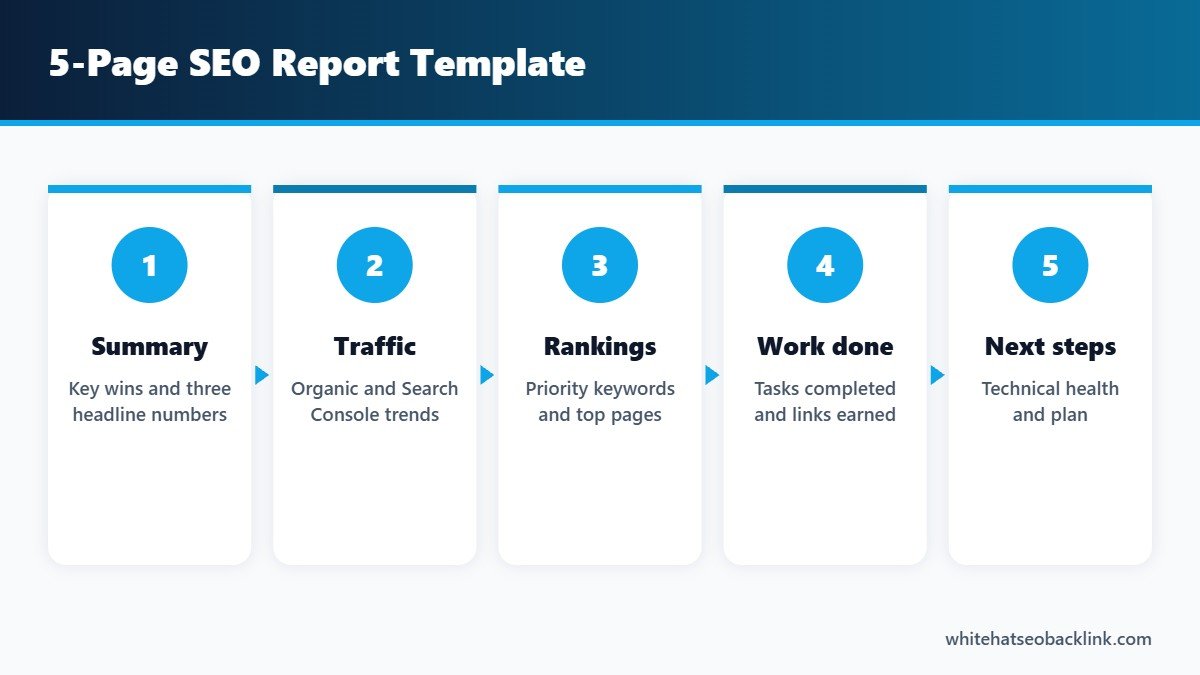
- Page 1: Executive summary and three key numbers (leads, organic traffic, clicks)
- Page 2: Traffic and Search Console trends with short notes
- Page 3: Priority keyword rankings and top-performing pages
- Page 4: Work completed and links earned
- Page 5: Technical health and next month’s plan
Five pages or fewer. If a chart needs more than one sentence to explain, it probably does not belong in the report.
Best Tools to Create an SEO Report for Clients
- Looker Studio (free): connect GA4 and Search Console for live dashboards.
- Google Search Console and GA4: the core data every report needs.
- Semrush, Ahrefs or SE Ranking: rankings, backlinks and branded PDF reports.
- AgencyAnalytics or DashThis: white-label reporting for agencies with many clients.
If you deliver SEO for other agencies, choose tools with white-label options. Our guide on white label SEO explains how that model works.
How to Present Bad Months Without Losing the Client
Every account has slow months. Be honest and explain the cause: a Google update, seasonality, a site change or stronger competition. Then show your plan to fix it. Clients forgive dips. They do not forgive surprises.
Example: “Organic traffic fell 8% this month, mainly due to the usual summer slowdown (traffic was down 10% in the same month last year). Leads held steady. Next month we will publish two service pages to target the new keywords we found.”
Mistakes to Avoid in Your SEO Report for Clients
- Sending raw tool exports with no explanation
- Using jargon like “crawl budget” without explaining it
- Focusing only on rankings and ignoring leads
- Changing the report format every month
- Hiding bad news at the end
- Sending reports late or forgetting them
How Often Should You Send an SEO Report for Clients?
Monthly is the standard for most clients. Add a short weekly update during launches or migrations. Quarterly strategy reviews are a great addition for bigger accounts. For a sense of what clients expect over time, see our month-by-month SEO timeline.
Frequently Asked Questions
How long should an SEO report for clients be?
One page of summary plus three to five pages of detail is plenty for most clients.
Should I send PDFs or live dashboards?
Both work well together. Use a live dashboard for clients who like to check anytime, and send a short PDF or email summary with your comments each month.
What is the most important part of an SEO report?
The executive summary. Most clients read it first and many read only that, so explain results and next steps in plain language.
Final Thoughts
A great SEO report for clients is clear, honest and tied to business results. Lead with a short summary, show the numbers that matter, list the work you did and finish with next steps. Do that every month and clients will see you as a partner, not a cost.
Growing your agency? Learn how to get more SEO clients and win them with a strong SEO proposal.