How to Get More Google Reviews: 6 Simple Steps (Without Breaking the Rules)
Most happy customers never leave a review. Not because they do not like you, but because nobody asked them at the right moment, in the right way.
If you want to know how to get more Google reviews, the answer is not a trick. It is a simple system: make it easy, ask at the right time, and follow up once. This guide shows you how to build that system in a week, with free tools and message templates you can copy into your own words.
Why Google Reviews Matter So Much
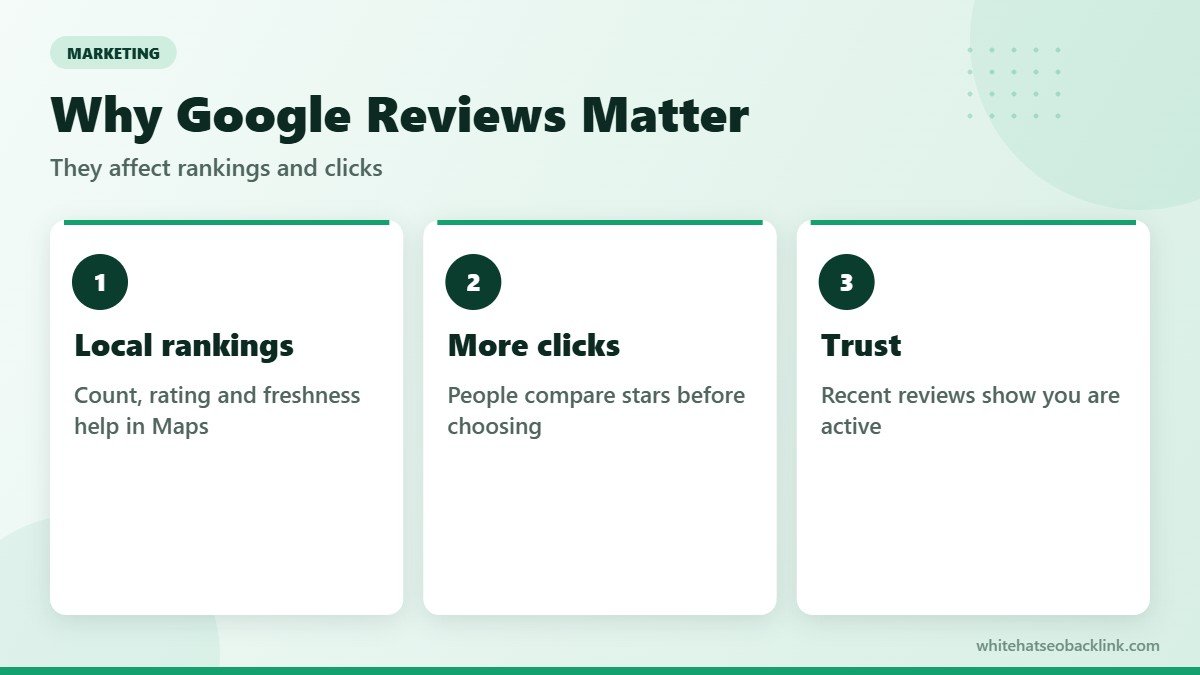
Google reviews affect two things at once: where you show up and whether people choose you.
- Local rankings. Review count, rating and freshness are part of how Google judges local businesses in Maps and the local pack.
- Click and call rates. Searchers compare star ratings before they click. A 4.7 with 120 reviews usually beats a 5.0 with 3 reviews.
- Trust. Recent reviews show you are active. A business with no reviews in a year looks closed.
Reviews work together with your full local SEO setup. If you have not optimized your profile yet, read our guide on how to improve local SEO results first.
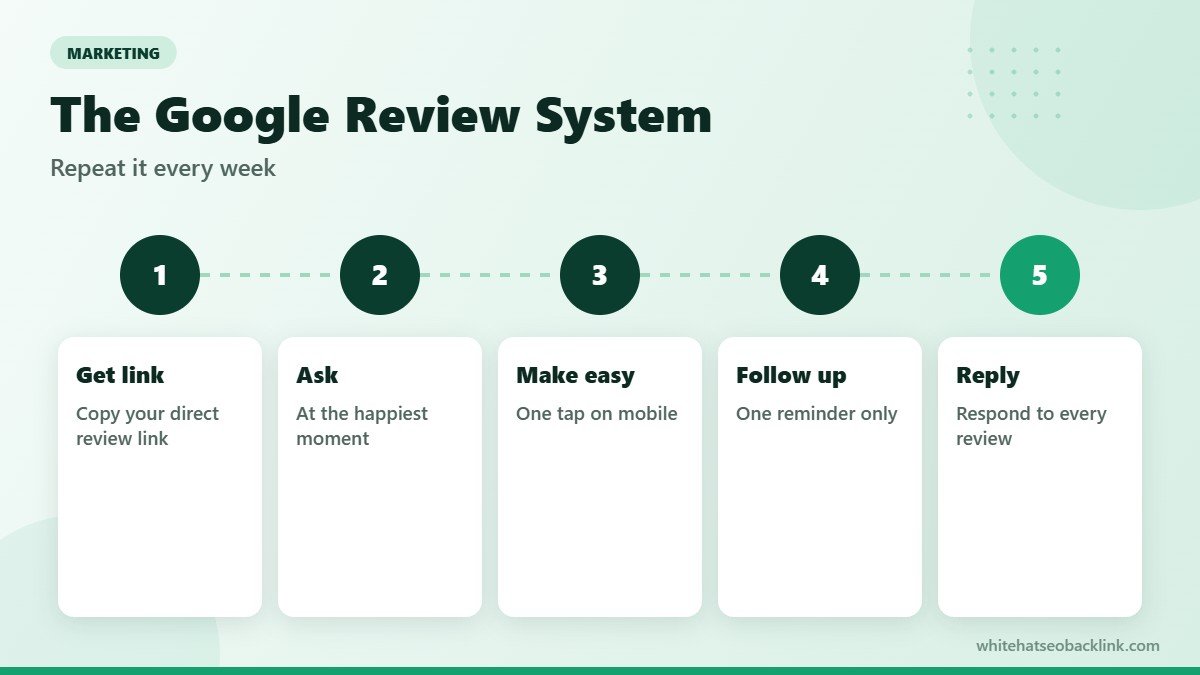
Step 1: Get Your Google Review Link
You need one short link that opens the review box directly. Here is how to get it:
- Search for your business name on Google while logged in to the account that manages your Business Profile.
- Click “Ask for reviews” or “Get more reviews” in the profile panel.
- Copy the link Google gives you.
Save this link everywhere you will need it: your phone notes, your email signature, your CRM and your team chat.
Step 2: Ask at the Moment Customers Are Happiest
Timing matters more than wording. Ask when the customer has just felt the value of your work:
- A restaurant: when the guest says “that was amazing”
- A plumber: right after the leak is fixed and the customer is relieved
- A dentist: after a pain-free visit, by text later that day
- An online store: a few days after delivery, once they have used the product
- An agency or consultant: after a win, like a good report or a launch
Do not wait two weeks. The feeling fades fast.
Step 3: Use More Than One Way to Ask
Different customers respond to different channels. Use a mix:
In person
A simple, sincere request works best. “It would really help us if you could leave a quick Google review. I can text you the link right now.”
Text message
Short and personal. Texts usually get read quickly, so they work well for service businesses.
Hi [Name], thanks for choosing [Business] today. If you have 30 seconds, a quick Google review would mean a lot to our small team: [link]. Thank you!
Good for online businesses and B2B. Keep it short with one clear button.
QR codes
Print a QR code that opens your review link. Put it on receipts, invoices, table cards, packaging, the front desk or a thank-you card in each order.

Step 4: Make It Ridiculously Easy
Every extra click loses people. Remove friction:
- Use the direct review link, not “search for us on Google”
- Tell them it takes under a minute
- Give a simple prompt if they do not know what to write, like “mention the service you used”
- Make sure your link works on mobile, because most people will open it on a phone
Step 5: Follow Up Once
If a customer said they would leave a review but did not, send one friendly reminder two or three days later. One reminder is helpful. Three reminders is annoying.
Step 6: Reply to Every Review
Replying shows future customers that a real person cares. It also encourages more people to leave reviews, because they can see the business reads them.
- Positive reviews: thank them by name and mention what they used, naturally.
- Negative reviews: stay calm, apologize for their experience, and move the conversation offline with a phone number or email.
Never argue in public. Future customers are reading your reply more than the complaint.
What Google Does Not Allow (Avoid These)
This is the part many guides skip, and it can cost you your reviews or your profile. Google’s review content policy does not allow:
- Paying or giving discounts for reviews. No “10% off if you leave a 5-star review”.
- Review gating. Asking customers if they are happy first and only sending the review link to happy ones.
- Fake reviews. From staff, friends, family or paid services.
- Review stations. Setting up a tablet in your shop where customers leave reviews on your device, which can trigger spam filters.
In some countries, fake or incentivized reviews also break consumer protection law. It is simply not worth the risk.
How to Handle a Sudden Bad Review
Every business gets one eventually. Here is a simple plan:
- Read it twice and wait an hour before replying.
- Check if the person was really a customer.
- Reply politely and offer to fix the problem.
- If the review breaks Google’s policies (spam, hate speech, not a real customer), report it from your Business Profile.
- Keep asking happy customers for reviews. Fresh positive reviews will push it down naturally.
Build a Simple Weekly Review Routine
| Day | Task |
|---|---|
| Daily | Ask every happy customer in person or by text |
| Twice a week | Send review emails to recent customers |
| Weekly | Reply to all new reviews |
| Monthly | Check your total reviews, average rating and how you compare to competitors |

Review Request Ideas by Business Type
The best way to ask depends on how you work with customers. Here are simple ideas for common business types:
- Restaurants and cafes: a small QR card on each table or on the bill folder, plus a friendly word from the server when guests say they enjoyed the meal.
- Home services (plumbers, cleaners, electricians): the technician asks in person at the end of the job, then a text with the link is sent within an hour.
- Clinics, dentists and salons: an automatic text a few hours after the appointment, when the visit is still fresh.
- Online stores: an email 5 to 10 days after delivery, once the customer has used the product. Add a printed card with a QR code in the box.
- Agencies, consultants and B2B services: ask after a clear win, like a successful launch or a great monthly report, with a short personal email.
- Hotels and rentals: a note in the room plus a thank-you email after checkout.
Turn Your Reviews Into Marketing
Reviews are not just for Google. Once you have them, use them to win more customers:
- Share your best reviews on social media as simple graphics
- Add a few real reviews to your service pages and homepage
- Mention your rating in ads and email campaigns
- Read reviews for common words customers use, then use those words in your website copy
This also helps your content marketing, because your customers are telling you exactly what they care about.
How to Get Your Team Involved
Your staff talk to customers every day, so they are your best review collectors. Teach everyone the same short request, share the review link in your team chat, and celebrate when a review names a team member. Just do not let staff write reviews or pay customers for them.
FAQ
How many Google reviews do I need?
Aim to beat the businesses ranking above you, both in count and freshness. A steady flow of new reviews each month matters more than one big burst.
Can I ask for 5-star reviews?
Ask for an honest review, not a 5-star one. Asking only for 5 stars can look like manipulation and puts customers off.
Can I delete bad Google reviews?
No, you cannot delete them yourself. You can only report reviews that break Google’s policies and reply to the rest.
Do review keywords help rankings?
Customers naturally mentioning your services and town can help Google understand what you do. Do not tell customers what words to use, but you can ask them to mention the service they used.
Final Thoughts
Getting more Google reviews is not about luck. Get your link, ask at the happy moment, make it easy, follow up once and reply to every review. Do this every week and your reviews will grow without any risky shortcuts.
Want more help growing your local visibility? Take a look at our SEO services or contact us for a quick chat.